App Screenshots

Game launcher and performance optimizer
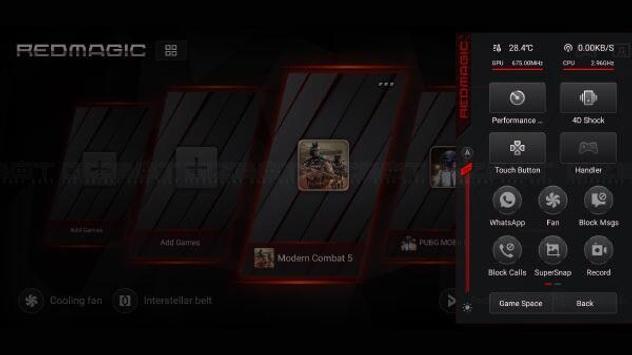
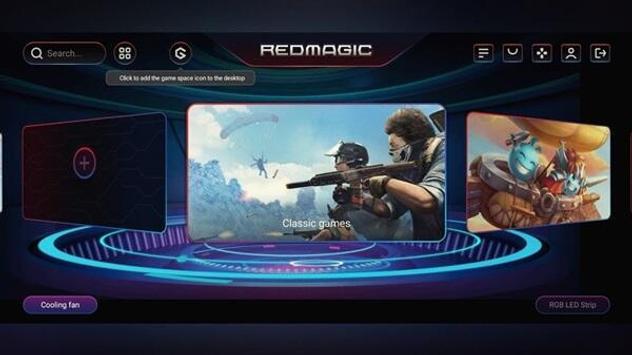
Mobile gamers who routinely switch between multiple titles can use Game Space to centralize their library and streamline their play sessions. Developed by LFE GROUP, the app gathers all installed titles into a single Games area so players can launch them without searching through several home-screen pages. Beyond organizing titles like a personal game shelf, it includes an automatic Gaming Mode to establish a focused environment the moment a game opens, alongside an optional Network Acceleration feature intended to help reduce latency during competitive online matches.
Instead of leaving installed titles scattered across different app screens, the app consolidates them into a unified Games area. This centralized setup allows users to open the hub, pick a title from their collected library, and jump straight into play. For certain APK-based setups where the hub does not automatically appear in the standard app drawer, reaching the environment may require using an Activity Launcher shortcut during initial setup. Once configured, it acts as a primary launcher for daily play.
The app is built to streamline session startup by removing the need to tweak phone settings before every match. In the standard setup interface, swiping from right to left leads to a Start button that enters the main game environment. Once a title is launched from inside this area, Gaming Mode activates automatically in the background. This allows players to jump directly into quick gaming sessions between other daily tasks without manually toggling game-focused performance settings beforehand.
For players who focus on multiplayer or co-op games, Game Space provides an optional Network Acceleration tool designed to improve connection stability. Users can activate this setting before joining online matches to help minimize lag spikes, delayed inputs, or unstable server connections. Because connection performance also depends on physical location, local network conditions, and external game servers, actual improvements in responsiveness will vary by match.
Beyond its utility tools, the app incorporates a community section where players can interact with others. This dedicated space allows users to participate in player discussions, share feedback about their gaming experience, and connect with fellow gamers directly within the app platform.
Your comment was submitted and is awaiting moderation.
Your comment was published.