App Screenshots
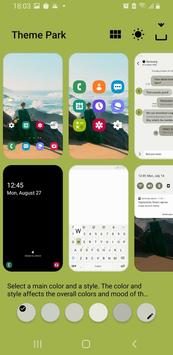

Custom theme builder for wallpapers, icons, and fonts
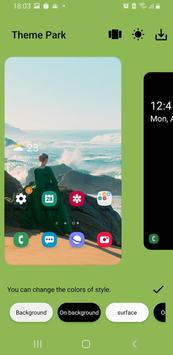
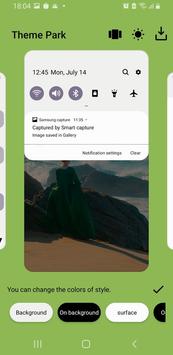
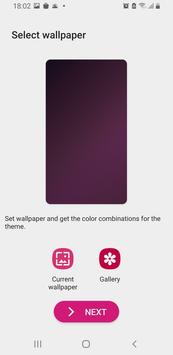
Customizing a mobile interface often means manually tweaking separate settings for icons, menus, and backgrounds. Samsung Theme Park simplifies this process by automatically extracting a color palette directly from your chosen wallpaper and applying those tones across your home screen, quick panel, and system menus. It provides live previews to test light and dark variations, adjust shapes, and apply icon packs before committing to a final look, ensuring your display maintains a visual balance from the main screen to deeper system menus.
The core functionality revolves around analyzing your current wallpaper to generate a matching set of colors. Once the app reads the image, it builds a complementary color scheme for system elements. You can immediately review how these shades look in real time, switching between light and dark modes to check contrast. This continuous preview helps you fine-tune specific tones for panels and menus so that text remains legible against modified backgrounds.
Beyond basic color adjustments, the app grants direct control over the appearance of your app grid. You can alter icon shapes, add visual effects, and integrate supported third-party icon packs to replace default designs. To prevent unwanted visual mismatches, per-app theming options let you decide precisely which applications adopt the newly created palette and which retain their native styling. System-wide font and color adjustments keep menus aligned with your active theme.
For devices with larger displays, such as tablets and foldables, dedicated landscape previews show how customized palettes and icon grids adapt to wider screen orientations before you finalize the application. The app also integrates with KeysCafe to extend your selected color scheme directly to the touch keyboard, creating a unified appearance across your primary daily touchpoints.
Your comment was submitted and is awaiting moderation.
Your comment was published.