App Screenshots


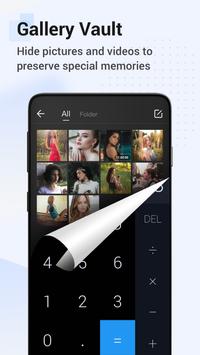
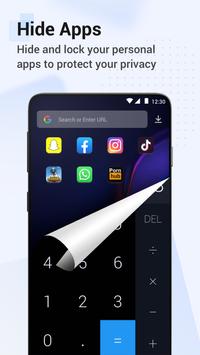


Calculator-disguised privacy vault for files and applications.
Securing sensitive media and personal data on a mobile device often requires more than simple passcode protection. HideX: Calculator Photo Vault, App Lock, App Hider provides a dual-layer solution by masking a secure storage vault behind a fully functional mathematical calculator interface. Users type a predefined password into the calculator to access a hidden environment where photos, videos, system applications, and personal files can be stored away from the main device interface. The app also includes integrated tools for cloud synchronization, web browsing, and system app locking to prevent unauthorized access to local data.
The core functionality of the app relies on a functional calculator exterior that acts as the entry point to hidden storage. Entering the correct numeric password unlocks the underlying vault, while the outer icon itself can be customized or changed periodically to avoid drawing attention. For situations requiring separate organization or distinct privacy levels, users can establish multiple fake or secondary vaults, each secured by its own unique password to isolate specific files or applications.
Beyond hiding media, the software functions as an application manager capable of cloning or locking installed software across various categories, including social networks and shopping platforms. Importing an application into the hidden vault allows it to run simultaneously in both the main device environment and the concealed space. Deleting the original instance from the device’s main menu leaves only the hidden version operational inside the vault. Alternatively, users can apply a traditional PIN code or pattern lock directly to existing apps to prevent unauthorized launching without hiding them completely.
Local photos and videos are automatically detected by the system, allowing users to import individual pictures, complete albums, and other file types into the vault. Once inside, files can be organized, renamed, relocated between folders, or deleted. For long-term storage or local space management, an automated cloud storage feature backs up hidden items to a remote server, allowing users to expand available storage while safeguarding media against local data loss.
An integrated private browser allows users to navigate the web without leaving a local history trail on the device. Supported by a built-in VPN service, this browsing tool secures network activity and allows media files and videos to be downloaded directly from websites straight into the protected file vault.
Your comment was submitted and is awaiting moderation.
Your comment was published.