App Screenshots

Official communication tool for managing calls and voicemail
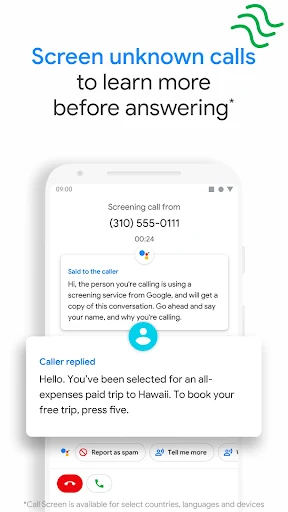
With our latest update to Call Screen on Pixel devices in the US, the Google Assistant now helps you automatically screen unknown callers and filter out detected robocalls before your phone ever rings. And when it’s not a robocall, your phone rings a few moments later with helpful context about who is calling and why.
Phone by Google is a calling app that helps you manage incoming calls, block unwanted interruptions, and organize your messages. It replaces basic call handling with automated spam defenses, caller identification for verified businesses, and an integrated visual voicemail interface. Depending on your region and device capabilities, the app can screen incoming calls with Google Assistant or record active phone calls directly to local device storage, giving you clear insight into who is calling before you pick up.
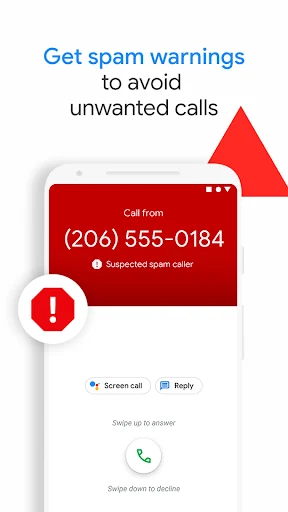
The app identifies potential robocalls and fraudulent numbers before you answer, flagging suspected spam directly on the incoming call screen. You can block problematic numbers to stop repeat calls and manually report new spam numbers to refine protection over time. In supported regions, Call Screen uses Google Assistant to answer calls from unknown numbers on your behalf, asking the caller for their identity and reason for calling. The app displays a live transcript of the caller’s response, allowing you to decide whether to accept the call, send it to voicemail, or report it as spam. On Pixel devices in the US, automatic call screening can silently filter out detected robocalls without ringing your device.
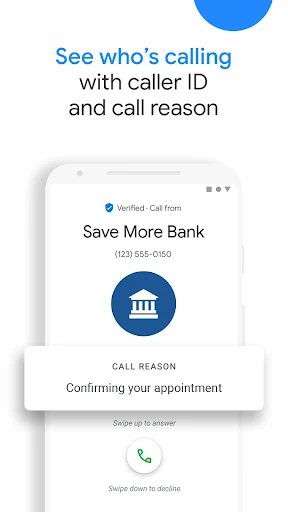
When a participating company calls, the app expands standard caller ID to display the verified business name alongside the specific reason for the call. Instead of showing an unknown number, your screen might indicate an incoming delivery update, an appointment confirmation, or a customer support callback. If a business has not been verified or local availability is limited, the app relies on your recent call history and voicemail so you can verify the caller’s identity before returning the call.
Visual voicemail consolidates your voice messages into an organized list, allowing you to manage audio recordings without dialing a traditional voicemail server. Each message includes an automated text transcription, making it possible to review the contents of a call during meetings or in noisy environments where listening to audio is impractical. You can play messages in any order, save important recordings, or delete unwanted items directly from the list. Full feature availability and transcription accuracy depend on audio clarity, language, and carrier support.
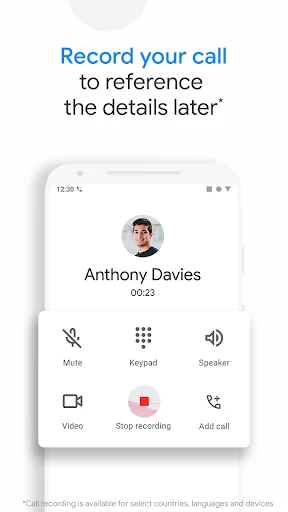
On supported devices, the app includes a call recording tool that captures phone conversations directly within the interface. When activated, the feature plays an audible disclosure to inform all participants that the call is being recorded for transparency. The resulting audio files are saved locally on your phone’s internal storage rather than on cloud servers, keeping your recorded conversations strictly under your manual control.
Your comment was submitted and is awaiting moderation.
Your comment was published.