App Screenshots
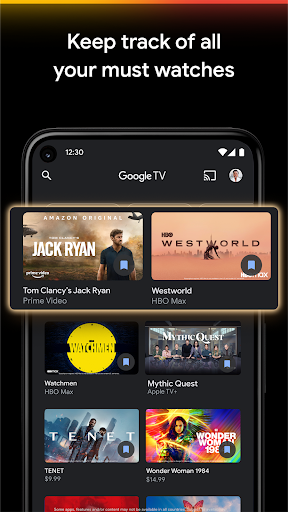
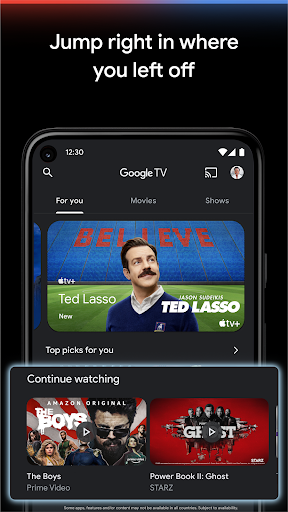

Streaming guide and remote control
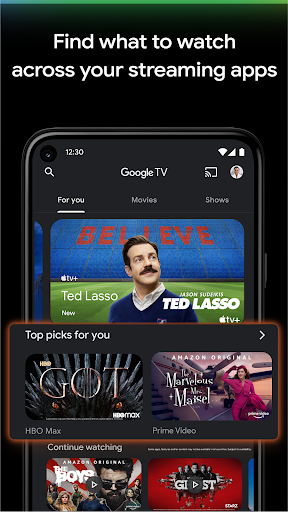
Find where your favorite shows and movies are streaming
* Discover something new in just a few taps
* Add thumbs up or down to get personal recommendations based on what you like to watch
* See which streaming apps offer the show or movie you want to watch
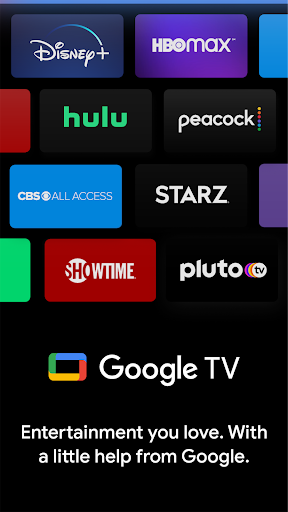
Finding something to watch across multiple streaming subscriptions often means jumping between separate services to check titles, prices, and availability. Google TV aggregates movies and television shows into a single interface, organizing over 700,000 titles by topics and genres. Beyond acting as a central discovery hub with unified watchlists and personalized recommendations, the app provides built-in media purchasing and doubles as a software remote control for connected display devices.
Searching for a specific title brings up information on which streaming services currently offer it, eliminating the need to open each service individually. Recommendations draw from trending media and the user’s existing streaming access. When browsing content on a mobile device, computer browser, or television screen, titles can be saved to a single shared Watchlist linked across all signed-in devices for later viewing.
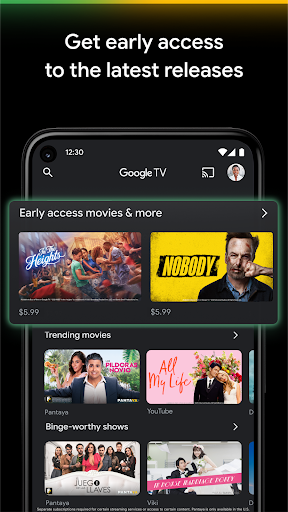
The Shop tab provides access to the latest movie and television releases available for rent or purchase. Any acquired content stores directly in a unified digital Library. For situations without an active internet connection, purchased titles can be downloaded straight to a mobile device or tablet for offline playback, or streamed directly on supported laptops and televisions.
The app includes a dedicated virtual remote control interface designed to operate Google TV and other Android TV OS hardware. Beyond basic navigation, this feature allows users to type complex search terms, titles, and account passwords directly into their television using their mobile keyboard, avoiding the tedious process of entering text character-by-character with a traditional handheld remote.
While the app centralizes content discovery, viewing content on third-party streaming platforms still requires active, separate subscriptions for those respective services. Certain regional platforms, such as Pantaya, remain restricted to users located within the United States.
Your comment was submitted and is awaiting moderation.
Your comment was published.