App Screenshots
Restore lost photos, videos, and files
- Improved ability to search for non-media files.
- Improved compatibility with broader range of devices.
- Minor bug fixes and enhancements.
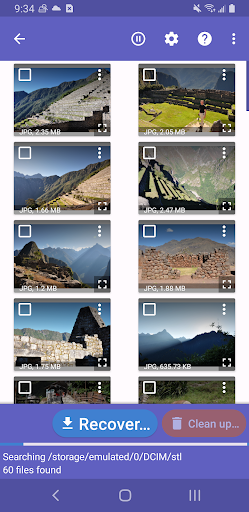
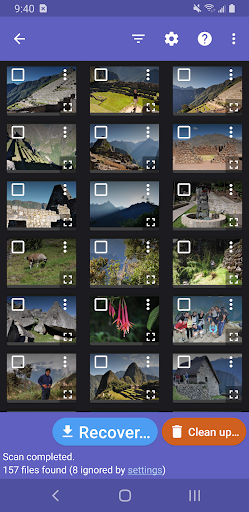
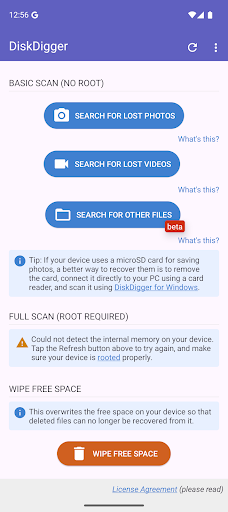
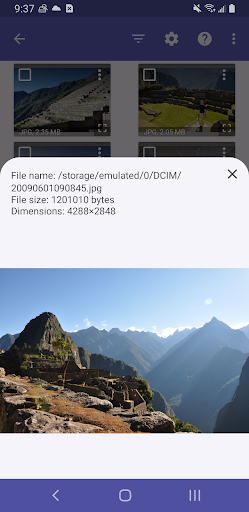
Recovering accidentally deleted media and documents from internal storage or a memory card is possible using DiskDigger photo/file recovery. The app scans your device for lost photos, videos, images, and non-media files, letting you restore them directly to local folders or send them to external locations. Its standard file retrieval capabilities vary depending on whether your device has root access, allowing you to tailor the deepness of the scan to your device’s current setup.
The depth of a recovery scan depends heavily on system access level. On non-rooted devices, the app performs a limited scan that targets thumbnail caches, existing internal storage locations, and local databases to locate lost files. If your device is rooted, it gains full low-level access to search all of the device’s memory for any trace of recoverable photos, videos, and supported file types. To inspect all potential storage locations for missing data, the system requires you to grant the Access all files permission before starting the search process.
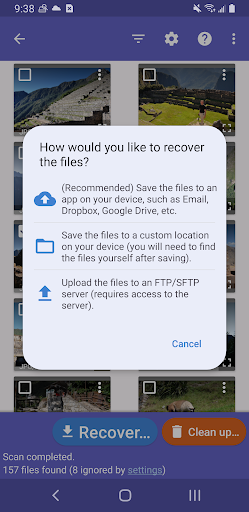
Once the scan reveals your recoverable data, you can choose where to place the restored items. Files can be saved to a different local folder on your device, uploaded directly to cloud services like Google Drive or Dropbox, or shared via email. Beyond restoring missing items, the tool includes maintenance utilities: an experimental Clean up option in the Basic Scan lets you permanently delete unwanted items found during the search, while a Wipe free space function allows you to overwrite unallocated storage space so that previously deleted files can no longer be retrieved by recovery tools.
Your comment was submitted and is awaiting moderation.
Your comment was published.