App Screenshots

Motion sensor calibration and game hub tool
New: Gamepad, Touchpad, and Console Controller tester. Check sticks, stick drift, triggers, buttons, rumble, light bar and motion sensors, with a suggested in-game dead zone
• Faster launch and smoother My Games: no more flicker while icons load
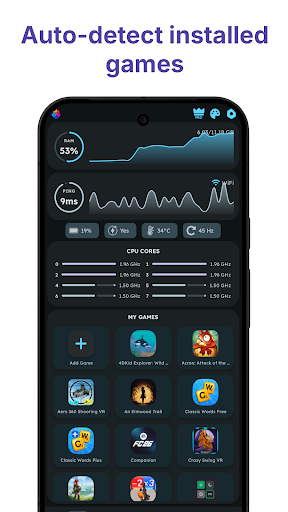
• Game Hub simplified to RAM, ping and your games. CPU cores moved to Analyze
• New install? Your game library is imported only when you choose
• Smoother calibration guide animation
• Many performance and optimization fixes. Minor bug fixes
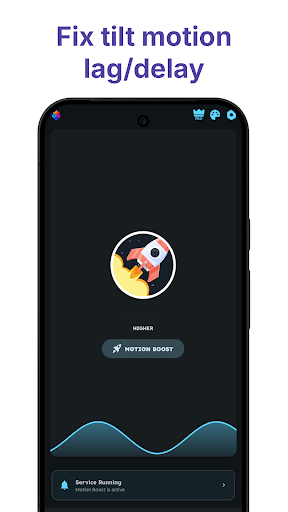
For mobile gamers struggling with unresponsive motion controls or aim drift, Gyroscope Test Calibrate Boost provides a suite of diagnostics and motion-tuning tools alongside a built-in game launcher. The app focuses on optimizing inertial measurement unit (IMU) performance, offering an Angular Motion Booster designed to improve sensitivity in first-person shooters and virtual reality titles. Gamers can run one-tap fixes for sensor lag, perform multi-sensor calibrations, view real-time data curves, and track device vitals such as battery temperature and network ping directly from the main launcher interface.
The main dashboard consolidates installed titles into a central library for quicker access. Designed with a clean Material layout supporting light and dark themes, the hub allows users to launch games without navigating through system menus. Alongside the app library, the launcher surface displays active device vitals. Players can monitor network ping and battery temperature in real time during a session, helping identify whether online lag or thermal throttling is causing performance drops. The interface contains ad units and in-app purchase prompts, though primary menu navigation remains direct.
The Angular Motion Booster mode adjusts how the operating system handles gyroscope input, specifically prioritizing angular velocity data for titles heavily reliant on motion controls. Enabling this mode causes smaller wrist turns and micro-adjustments to register more distinctly, which helps execute quick flick shots in shooters or achieve smoother camera movement in VR environments. However, responsiveness improvements depend on specific hardware components and how individual games process sensor inputs; some hardware configurations may show minimal change. When fine-tuning controls, combining the booster with initial sensor calibration and low battery temperatures yields the most consistent tracking results.
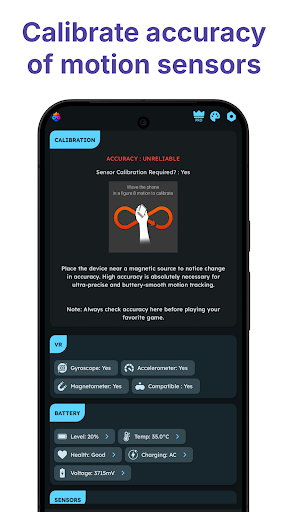
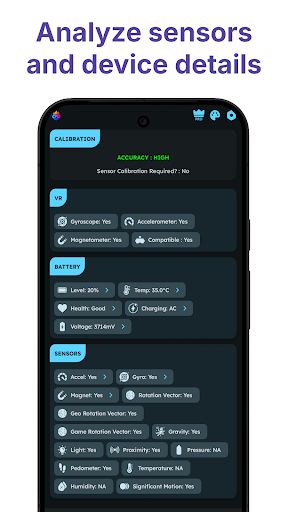
To address mechanical drift or input delay, the utility includes dedicated calibration tools for three key components: the gyroscope, accelerometer, and magnetometer. The performance screen presents accuracy readouts to confirm whether sensors are properly aligned. Live sensor curves and visual charts log drift, ambient noise, and directional changes over time. These analytical graphs help users spot hardware irregularities, such as an off-center compass or jittery camera tracking, making it easier to determine whether aiming issues stem from uncalibrated sensors or game-specific settings.
Your comment was submitted and is awaiting moderation.
Your comment was published.