App Screenshots
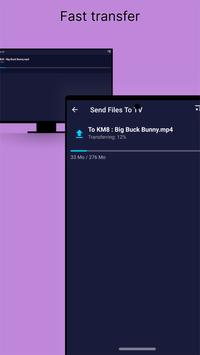
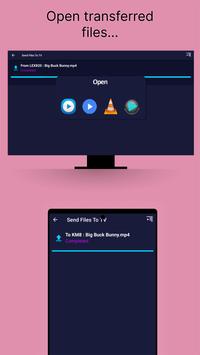

Local file sharing over Wi-Fi
Send files to TV transfers videos, photos, and documents directly between devices across a local Wi‑Fi or wired local area network. Instead of uploading large files to cloud storage or routing them over the internet, the app keeps data strictly on your home network to achieve faster speeds than Bluetooth. It provides a simple cross-platform solution for sharing heavy media and presentation files among televisions, mobile devices, and desktop computers without using physical cables or mobile data.
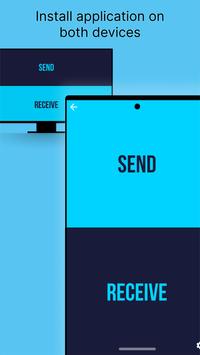
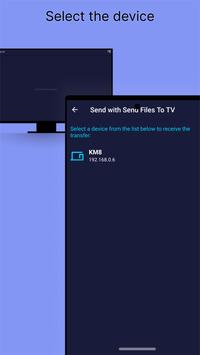
Transfers execute entirely over your home network, allowing multi-gigabyte video clips and full image albums to move at speeds governed by your router and signal strength. Devices running the app on the same local network automatically detect one another without requiring manual IP address configuration or pairing codes. The interface uses a straightforward process: opening the app on the television and choosing Receive allows you to select that television directly from the mobile app’s discovery list to begin the transfer. If a device fails to appear, placing both devices onto the exact same network segment or Wi‑Fi band resolves the issue.
Dedicated companion software extends functionality to Windows, macOS, and Linux, enabling desktop users to send downloaded movies or work presentations straight to a television or phone. The standard file-sending workflow remains identical across all supported platforms. The app does not support sending uncompressed directory folders as a single item; users must compress a folder into a single archive file, send the archive, and extract its contents on the receiving device.
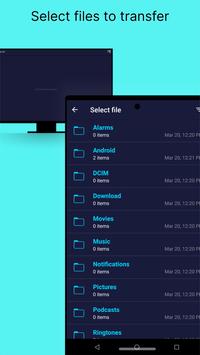
An integrated file manager lets users navigate local storage directly within the app. Image thumbnails appear inside the file explorer to help verify visual media before sending. Users can also configure a specific target directory on the receiving device to control where incoming files, including standalone packages used for application sideloading, are saved.
Your comment was submitted and is awaiting moderation.
Your comment was published.