App Screenshots
System-wide mock location tool
Fix OpenStreetMap, address some crashes
For developers testing location-dependent software or users looking to protect their location privacy, Fake GPS provides system-wide location spoofing to change the device’s reported position instantly. Rather than physically moving to test geographical features, users can pick any point on a global map and override their system location fix. The app’s standout capability is its deep integration support, offering command-line hooks and Tasker compatibility to automate location switches within routine testing flows.
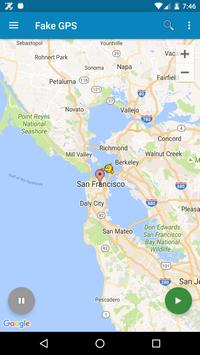
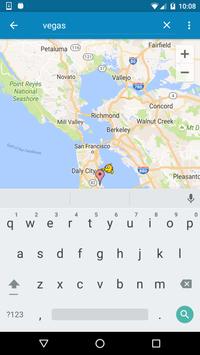
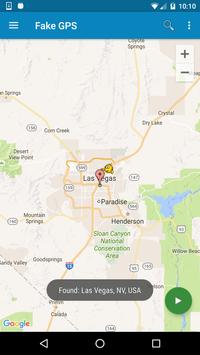
Setting a new location relies on an interactive OpenStreetMap interface where users pan, zoom, and select a target point. Once initiated, the fake coordinates apply globally across the device, ensuring navigation, social, and delivery apps read the updated fix. A recent update resolved issues with the map implementation, restoring smooth map browsing during location selection. This map-driven workflow makes it simple to simulate moving between different addresses, parks, or cities to evaluate how other applications react to location changes.
For repetitive QA sessions that require jumping between specific locations, the app includes a favorites system. Users can label selected points on the map with custom names and save them to a dedicated menu. Loading a saved spot takes a couple of taps, eliminating the need to search the map manually every time a test runs. This keeps testing environments organized and ensures that identical coordinates can be reused precisely across multiple sessions.
Beyond manual map picking, the app supports external automation through Tasker integration and command-line triggers. Developers and power users can configure automated profiles that start, stop, or change spoofed locations based on specific schedules or test triggers. The app includes built-in guidance and documentation to help set up these multi-condition sequences, making it easier to integrate mock location steps into broader automated testing scripts.
On rooted devices, the app offers an advanced operational mode that bypasses the standard developer options toggle. By installing the utility directly into the system partition, spoofing can function without turning on the system-level mock location setting. This alternative approach helps when testing software that actively checks for enabled developer flags, though performance and setup requirements vary depending on the device hardware and installed ROM.
Your comment was submitted and is awaiting moderation.
Your comment was published.