App Screenshots
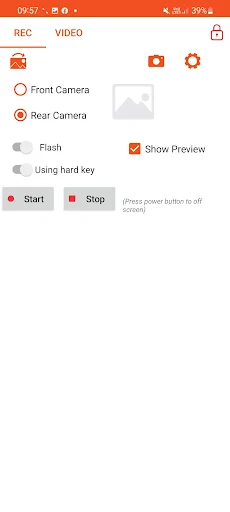
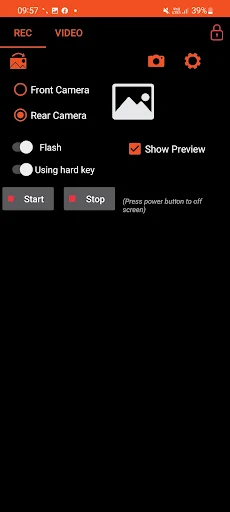

Background video recorder and dashcam tool
Updated the recording notification mechanism to comply with Google's privacy policies and local laws. Optimized performance to ensure the app runs smoothly and without interruptions. Fixed some minor issues from the previous version.
CBR Background Video Recorder allows you to record footage on your device while the screen is powered off or while navigating other apps. Built to handle long recording sessions without requiring active screen engagement, the app optimizes its processing to limit unnecessary display activity and help preserve battery power. It also features a dedicated dashcam mode and motion detection triggers, making it useful for hands-free driving logs, security monitoring, field research, and background documentation.
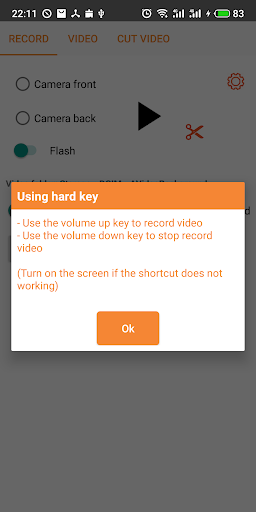
The app continues capturing video uninterrupted when you lock your display or switch to external applications. If you need to monitor your shot while performing other tasks, a floating preview window stays visible over your active screen so you can check your framing on the fly. For moments that require immediate capture, you can configure your device’s volume keys to start recording instantly without navigating through menus.
When used as a vehicle recorder, the specialized dashcam mode adjusts the interface to reduce screen activity and prevent accidental touches while driving. For automated surveillance, the built-in motion detection feature senses movement in front of the lens and begins recording automatically, allowing for unattended monitoring.
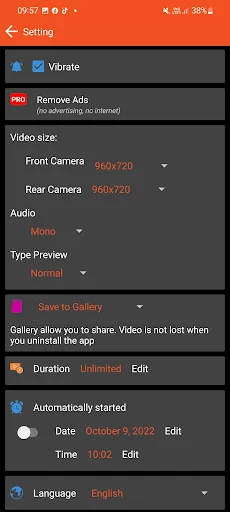
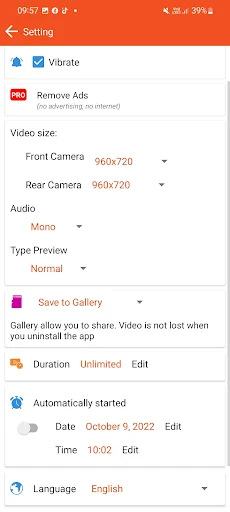
The app supports both landscape and portrait orientations to suit different mounting setup needs. It provides fine control over your capture settings with built-in zoom tools, night vision options, custom recording timers, and audio toggle controls for stereo or mono sound. Once video is captured, you can manage your files, trim video clips within the application, and save the final footage directly to your internal device storage or an external memory card. All recorded media remains strictly saved to your local device.
Your comment was submitted and is awaiting moderation.
Your comment was published.