App Screenshots

Mobile USB debugging and shell tool
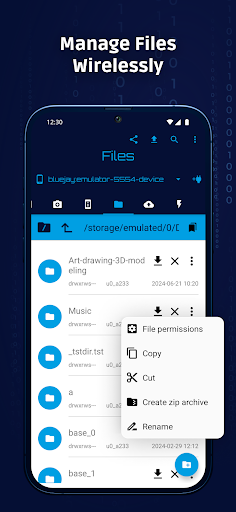
Added compatibility workaround to make basic file management functionality work on legacy devices
Connecting one mobile device directly to another via a USB OTG cable or Wi-Fi allows Bugjaeger Mobile ADB – USB OTG to act as a portable alternative to a desktop Android Debug Bridge (ADB) setup. The app enables advanced troubleshooting, system monitoring, and device management on target hardware like mobile phones, Android TV units, Wear OS smartwatches, Oculus VR headsets, and Raspberry Pi boards running Android Things OS. Users can execute custom shell scripts, inspect system logs, adjust device properties, and mirror screens without needing a development computer.
Establishing a session requires configuring the destination device before connecting. You must first enable developer options and USB debugging on the target unit. Once configured, connect the host and target devices using a USB OTG cable or set up a Wi-Fi link, then grant the necessary USB access permissions and authorize the USB debugging prompt on the target screen.
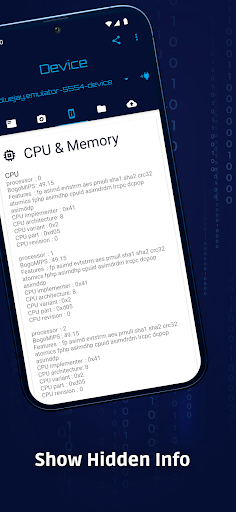
The app provides deep visibility into the internal status of connected hardware. You can view, filter, and export system logs using logcat to diagnose app crashes or background behavior. It also displays detailed system properties, Linux kernel information, CPU and ABI specifications, display metrics, and real-time battery status such as voltage, technology, health, and temperature.
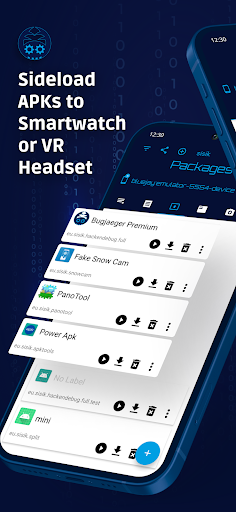
Managing software on target hardware includes installing and extracting applications directly. The tool supports sideloading standard APK files, split APK packages, and flashing AOSP system images, such as Android Preview builds on Pixel hardware. Additionally, you can pull installed APKs from the connected device, transfer apps between phones, and create, inspect, or extract ADB backup files.
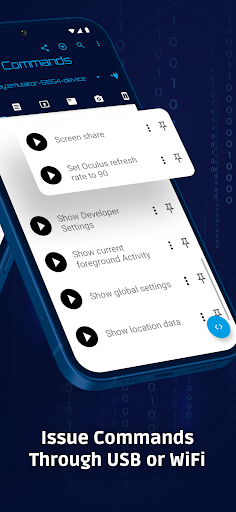
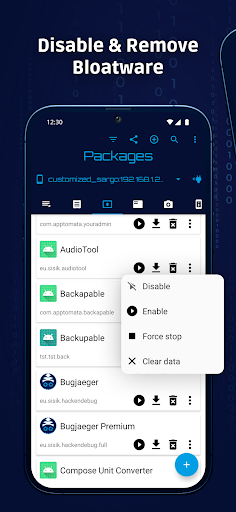
Direct interaction with the target system is available through an interactive remote shell for running custom commands. The software features screen mirroring with remote touch gesture support, a dedicated TV remote interface, and direct device control actions like taking screenshots, rotating the display, force-stopping or disabling apps, killing background processes, and triggering hardware reboots or bootloader modes.
Your comment was submitted and is awaiting moderation.
Your comment was published.