App Screenshots
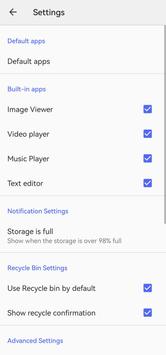
File manager and storage analyzer
- Bug fixes and minor improvements.
- On some devices, access to the /Android/data folder may be restricted by the operating system. You can work around this limitation by using the Shizuku app, which allows Cx File Explorer to access the folder
2.7.9
- File selection in the image viewer
- Split ZIP extraction
- Resume playback for long videos
2.7.0
- Built-in music player engine changed
2.6.6
- Added 'Copy again' and 'Return to source folder'
Cx File Explorer is a file management app designed to organize files across local storage, cloud services, and local networks. It provides tools to copy, move, rename, compress, and extract files across phones, tablets, and Android TV devices. Beyond basic file navigation, it features visual storage analysis to identify large files, potential junk, duplicates, and unused apps, while also enabling wireless file transfers between devices over a shared network connection.
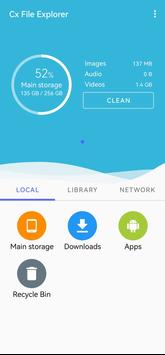
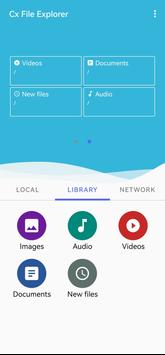
The app organizes stored data into distinct areas, separating standard directory trees from categorized media libraries. In the Local section, users can navigate internal folders to perform standard file operations such as copying, moving, renaming, sharing, and archiving files. Holding down on a file opens these management options, making it practical to organize recent downloads or package multiple documents into compressed archives. The dedicated Library view automatically groups files into categories like photos and videos, allowing direct access to media without searching through system directories.
Files stored on remote systems can be managed alongside local data within the same interface. The app supports connections to network-attached storage (NAS) devices, remote servers, and shared network folders using protocols such as SMB, WebDAV, FTP, FTPS, and SFTP. Users can access documents hosted on a home server or cloud provider directly from their mobile device. When connecting to remote servers, encrypted options like SFTP or FTPS are available to secure data transfers. Access to specific system directories, such as the Android/data folder, may be limited by operating system restrictions, though third-party tools like Shizuku can assist in certain setups.
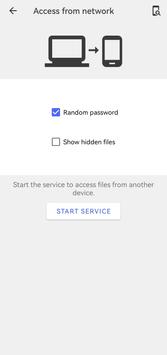
The app includes an Access from Network feature that enables wireless file sharing between devices connected to the same local network. By starting this service on the sending device, another device can connect through a web address or network path to browse and copy files without requiring a USB cable connection. This tool is designed for temporary use and can be stopped once the file transfer is complete. Transfer speeds and performance depend entirely on the quality and configuration of the local network.
To help manage limited internal space, the app includes a visual storage analysis feature that breaks down how storage capacity is being used. It identifies potential duplicate files, large items, residual junk data, and apps that have not been launched recently. Users can review these suggestions before choosing to delete items, helping prevent the accidental removal of necessary files or app data.
Your comment was submitted and is awaiting moderation.
Your comment was published.