App Screenshots
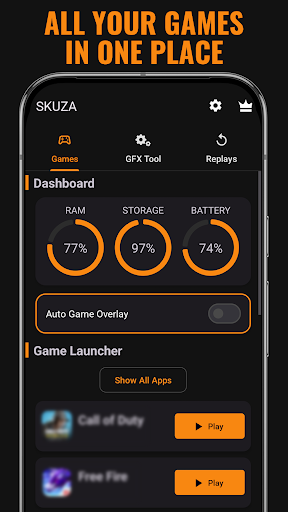
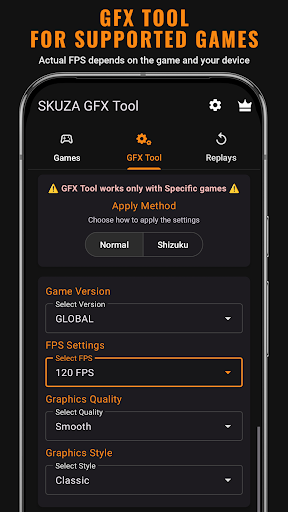
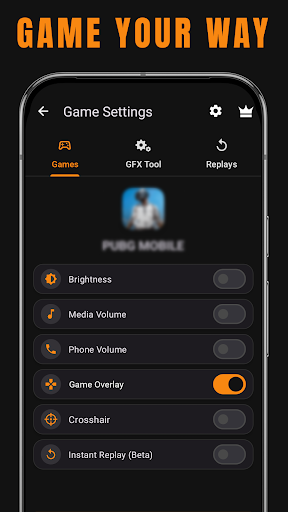

Game launcher with graphics and overlay tools
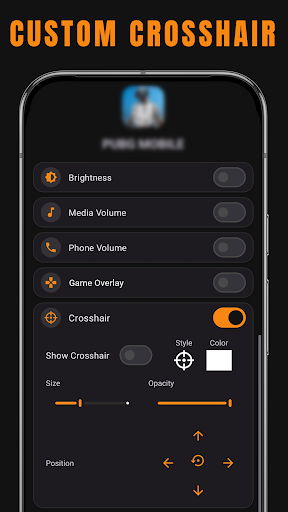
SKUZA GFX Tool & Game Launcher acts as a central hub for organizing your mobile games while offering performance adjustments and useful utility overlays. Instead of hunting through an app drawer, you can launch titles directly from a single screen or switch to a landscape, console-style Big Picture Mode. The app combines graphics adjustments for supported titles with per-game controls for screen brightness and media volume. It also equips you with in-game tools, including an instant replay feature to capture recent gameplay moments and a custom crosshair overlay.
Every title in your library can be configured individually before you play. When launching a title through the app, your saved settings for media volume and display brightness apply automatically. For supported titles, the built-in GFX Tool lets you select custom graphics settings to help tailor visual parameters. Keep in mind that actual frame rates still depend heavily on hardware capabilities and specific game optimization, so performance will vary across different devices and titles.
While playing, a compact floating overlay provides quick access to system adjustments and gameplay tools without forcing you to switch apps. From this overlay, you can adjust screen brightness and volume on the fly or turn on a customizable crosshair overlay to assist with aiming. The app also includes an instant replay feature that lets you capture past moments right after they happen so you can save and share highlights with friends.
Beyond game management, the app provides a quick overview of system resources, displaying real-time memory and storage usage metrics for your device. Utilizing all available functions requires specific device permissions, such as allowing the app to display over other applications and enabling usage access tracking. Additionally, certain capabilities within the app are reserved for SKUZA Premium users.
Your comment was submitted and is awaiting moderation.
Your comment was published.