App Screenshots
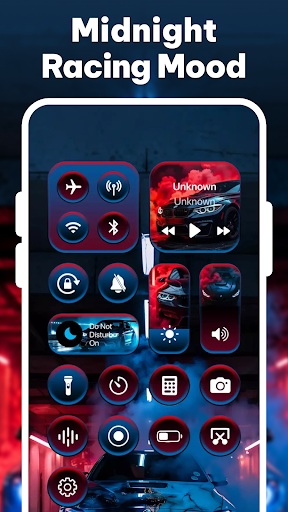
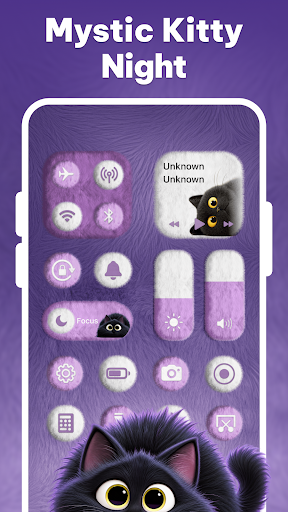
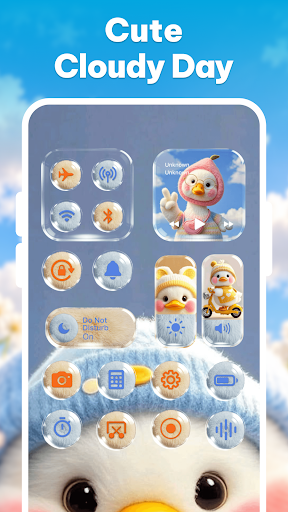
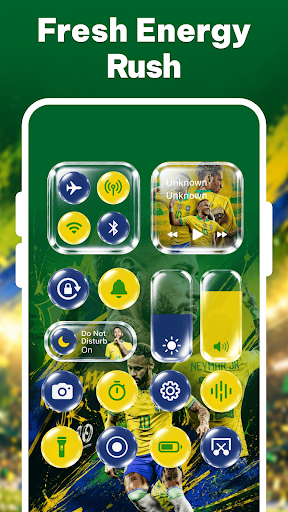
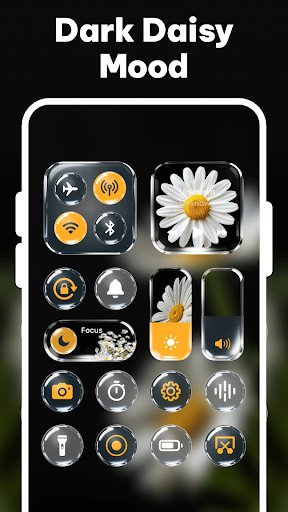

Customizable device settings control panel.
Control Theme: Custom Panel acts as an overlay management system that gathers essential system settings, quick-access tools, and media controls into a single swipe-accessible dashboard. Instead of navigating through multiple system menus, you can adjust brightness and volume, manage connection toggles like Wi-Fi and Bluetooth, capture or record your screen, and open designated apps directly from the panel. Its primary draw is the extensive visual and structural customization, allowing you to reconfigure the control layout, apply visual themes, and adjust elements like panel transparency and positioning.
The panel serves as a personal design layer for system shortcuts, letting you move beyond default interface limits. You can select from several aesthetic themes—such as Neon, Minimal, Cute, or Dreamy—and further alter the appearance by adjusting background transparency, element colors, control sizes, and screen positioning. Beyond changing colors, the layout itself is flexible: you can freely add, remove, or rearrange specific controls, shortcut icons, and informational widgets to highlight the functions you rely on most.
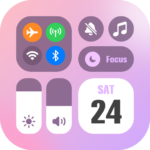
The customizable interface simplifies day-to-day device management by bringing core settings together. Swiping open the panel grants immediate access to system toggles for Wi-Fi, Bluetooth, mobile data, hotspot, screen rotation, and audio profiles such as silent or vibrate modes. It also includes quick-action utilities to adjust screen brightness and media volume, operate the device flashlight, and launch daily applications like the camera, calculator, or alarm clock without returning to the home screen.
Integrated overlay tools extend functionality beyond basic hardware toggles. The panel includes quick-action triggers for grabbing screenshots and launching a screen recorder that supports flexible audio source options. Integrated playback controls allow you to pause, play, or skip media without leaving your active application. These utility tools can also be configured to operate from floating control shortcuts, keeping essential functions instantly accessible during any activity.
To draw the interface over other applications and execute quick actions, the app relies on the Android Accessibility Service API. This permission is necessary to trigger system-level functions like screen captures, video recording, media control interventions, and floating shortcut overlays. The service is utilized exclusively to register your active interactions for these features and does not monitor, collect, or store personal user data.
Your comment was submitted and is awaiting moderation.
Your comment was published.