App Screenshots
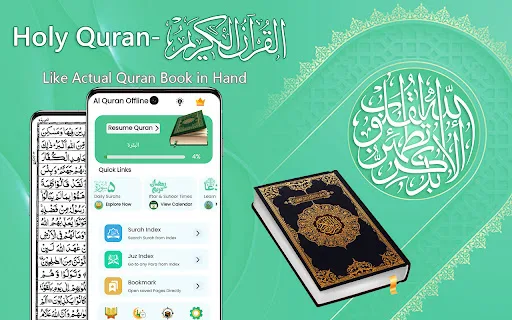

Offline Holy Quran reading tool
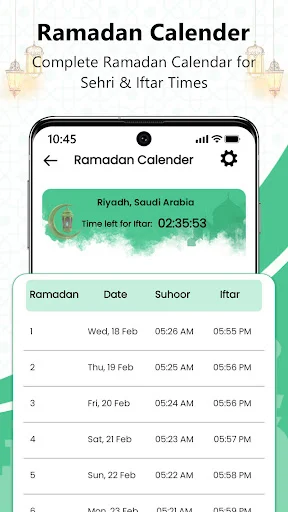
🌙 New Ramadan Calendar 2026 with fasting times
🕋 Holy Quran Home Screen Widget for quick Quran reading
✨ Improved Stability & Performance Update ✨
📖 Holy Quran reading experience with smooth navigation
🚀 Holy Quran App – Faster, Smoother & More Stable Than Ever
🕌 Quran Offline App Update – Improved Performance & Stability
📱 Quran Reading App – Now Optimized for All Devices
✨ Al Quran Kareem – Crash-Free
🔔 Quran Majeed App – Improved Speed, Stability & Compatibility
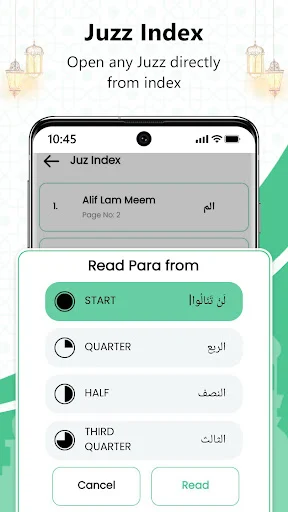
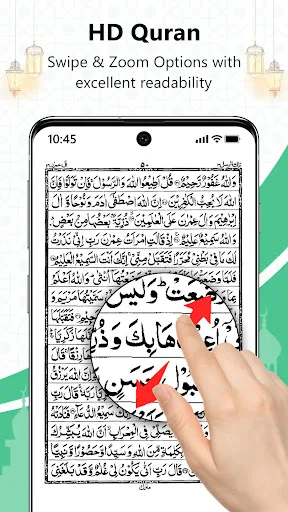
Reciting the Holy Quran digitally can sometimes feel unnatural due to constant scrolling or page formatting that differs from printed texts. Al Quran – Read Quran Offline addresses this by replicating the traditional 16-line page format used in physical mus’hafs, allowing users to read full pages on screen without vertical scrolling. Designed for offline access, the app helps Muslims perform daily recitation or memorize verses by providing page-swiping navigation, dedicated search options for specific Surahs or Juz, and screen brightness controls to make reading comfortable at any time.
The app displays complete Quranic pages structured in the classic 16-line script format rather than continuous text feeds. By eliminating the need to scroll up and down, it maintains the layout familiar to students in madrasas and Hafiz-e-Quran who rely on visual page memory. Additionally, the app automatically prevents the mobile screen from turning off during reading sessions to allow uninterrupted recitation.
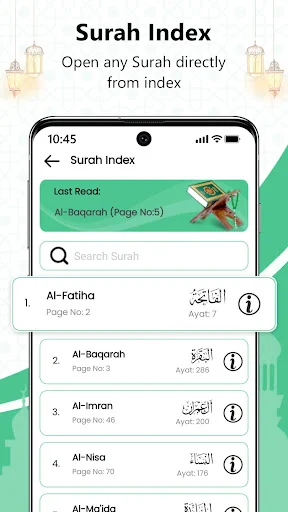
Moving through the text relies on simple touch gestures, where users swipe across the screen to turn to the next or previous set of 16 lines with a page-turning visual effect. To find specific sections without manually turning every page, the app includes an advanced search tool that routes directly to any selected Surah or Juz.
To support continuous daily study, users can save bookmarks to mark their current position or flag frequently recited passages for immediate access later. The display interface is also optimized for visual comfort, using eye-friendly brightness and color adjustments suitable for reading in different lighting conditions.
Your comment was submitted and is awaiting moderation.
Your comment was published.