App Screenshots

Mobile document scanner and PDF creator
We've added a thank-you banner celebrating one billion scans, with a link to our thank-you letter.
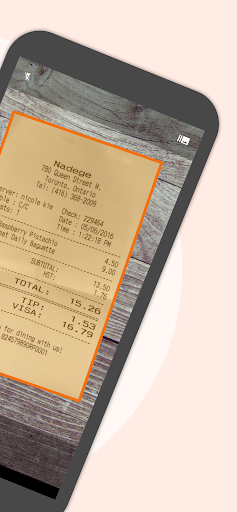
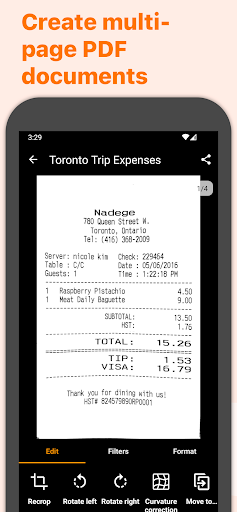
Scanning paper documents on the go becomes a straightforward task with Genius Scan – PDF Scanner, an app designed to transform your mobile device into a portable document scanner. It automatically detects page boundaries, removes backgrounds, corrects perspective distortions, and cleans up shadows or defects to generate crisp digital files. Beyond simple capture, the app organizes multiple pages into unified PDF documents and processes files entirely on your device, ensuring privacy while offering robust security controls like PDF encryption and biometric locking.
Digitizing paperwork involves automated image processing algorithms that handle document edge detection, perspective correction, and background cleanup without manual adjustments. Users can capture single pages or run a batch scanner workflow to process multi-page documents in rapid succession. Once captured, scans can be combined into complete PDF documents, merged with existing files, or split apart. The integrated Optical Character Recognition (OCR) engine extracts text from individual scans, allowing you to generate fully searchable PDF files directly within the application.
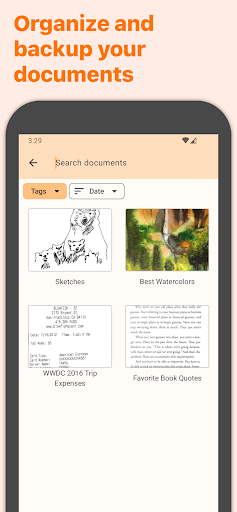
Data handling takes place directly on the device, keeping sensitive document processing local rather than relying on cloud execution. To protect sensitive information stored inside the app, security features include PDF encryption and device-level biometric unlock options. Users can organize their expanding digital archives by applying document tags, running content and metadata searches, and configuring smart document renaming rules with custom templates.
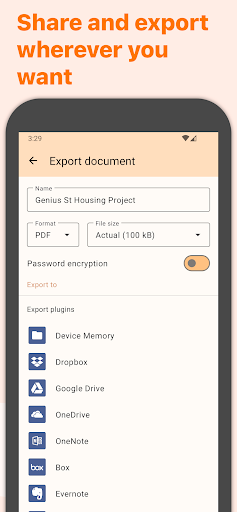
Scanned files and multi-page PDFs are not locked inside the application. The system supports direct export to native email clients as well as third-party storage and productivity platforms, including Box, Dropbox, Evernote, Expensify, Google Drive, and OneDrive. For custom server setups or standard remote storage protocols, it also supports exporting directly to FTP servers and any WebDAV-compatible service.
Your comment was submitted and is awaiting moderation.
Your comment was published.