App Screenshots
Document scanner and PDF creation tool
Just like your documents, TapScanner needs some editing sometimes too. In this version you will find improvements and bug fixes. We are working hard to improve the app. If you’re satisfied, we’d appreciate it if you rate the app!
PDF Scanner app – TapScanner converts paper documents into digital files using a smartphone camera. The app handles everyday scanning needs, turning receipts, contracts, business cards, and notes into multi-page PDF documents. Beyond standard image capture, it features automatic edge detection to align borders, optical character recognition (OCR) to extract searchable text, and a set of document editing tools to organize, sign, compress, and protect files.
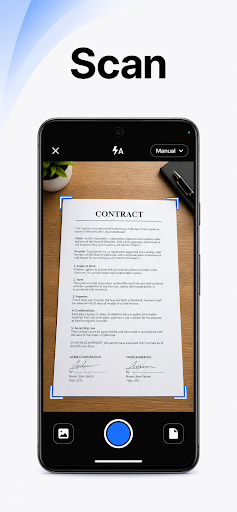
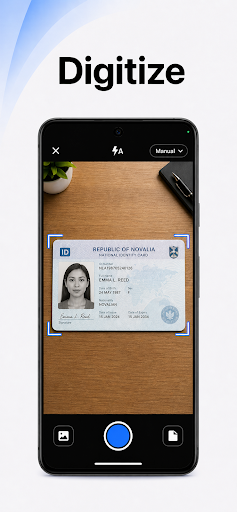
Scanning paper files requires framing the document within the app’s camera viewfinder. Integrated edge detection identifies the borders of the page automatically to assist with cropping. Manual crop adjustments remain available to fix pages captured at an angle or against backgrounds with similar coloring. While factors like low contrast, curved pages, and heavy shadows influence image quality, built-in visual correction tools help clean up the final scan.
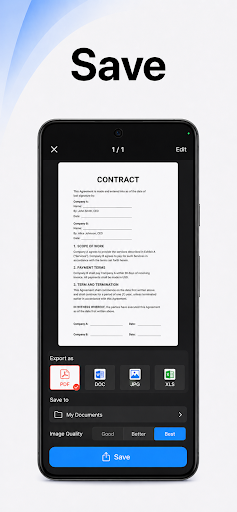
For longer paperwork such as reports, study guides, invoices, and business agreements, batch scanning allows multiple pages to be captured in sequence. Instead of generating separate image files, the app combines sequential scans into a single, ordered PDF. Before saving, users can reorder pages, rotate upside-down captures, and make visual adjustments so the document remains clear and organized.
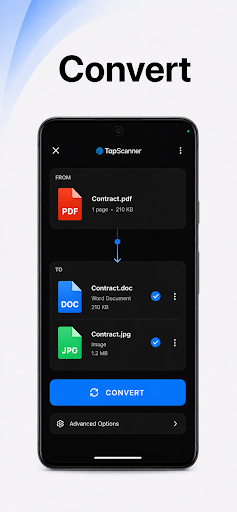
Built-in document tools handle common post-scanning tasks directly within the app. Users can combine separate files using the Merge feature, divide larger documents with Split, or adjust page order with Organize. The app also includes options to apply a digital signature, add a watermark, or set a password for added file protection. A compression tool is available to reduce file sizes before sharing documents via email or printing them.
Integrated optical character recognition (OCR) processes scanned images to identify written text across multiple languages. Converting visual scans into searchable text makes it easier to locate specific information within contracts, receipts, or notes without reviewing documents manually.
Your comment was submitted and is awaiting moderation.
Your comment was published.