

Z-WhatsArt for WhatsApp APP
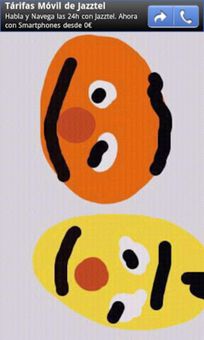
Z-WhatsArt for WhatsApp is an application that basically will allow you to send drawings created by you to any of your WhatsApp contacts the same way that you would with a normal, regular photograph.
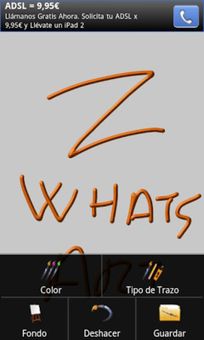
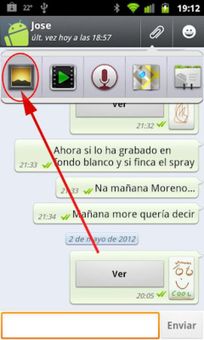
The only thing that you have to do will be press the “Share” option and, instead of choosing a picture from the memory or using the camera, choose Z-WhatsArt. From there a window will appear where you will have many options like choosing the type and color of the brush or changing the canvas. Once you have finished the drawing all you have to do is save it and send it to its recipient.
Z-WhatsArt for WhatsApp is a very interesting tool for communicating with your friends because it adds a new and very fun possibility to your WhatsApp conversations, the indisputable leader in instant messaging for mobile phones. Additionally, the app is completely free and very lightweight, which is why is works perfectly on practically any Android device.
Read more
The only thing that you have to do will be press the “Share” option and, instead of choosing a picture from the memory or using the camera, choose Z-WhatsArt. From there a window will appear where you will have many options like choosing the type and color of the brush or changing the canvas. Once you have finished the drawing all you have to do is save it and send it to its recipient.
Z-WhatsArt for WhatsApp is a very interesting tool for communicating with your friends because it adds a new and very fun possibility to your WhatsApp conversations, the indisputable leader in instant messaging for mobile phones. Additionally, the app is completely free and very lightweight, which is why is works perfectly on practically any Android device.
 ထိုင်း မြန်မာဘာသာပြန်
  facebook lite
  tidal
tidal  teo plus
  gowin
gowin  bbc iplayer
  sri lanka vehicle info
  vpnify
  shein
shein  self quest
  spotify hackeado
  linkedin
  chamet
  ridmik keyboard
  xender
  kleinanzeigen
  shopee taiwan
  gemini
  youtube music
  g camera