App Screenshots
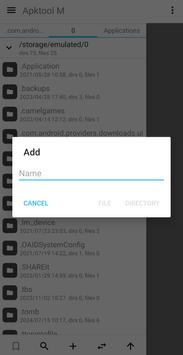
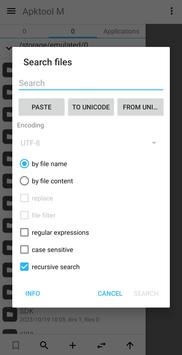
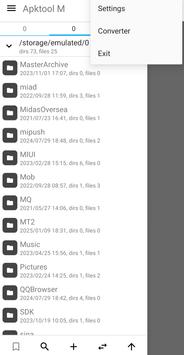
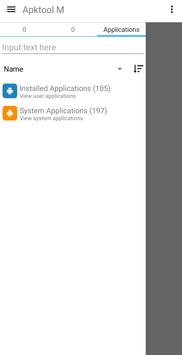
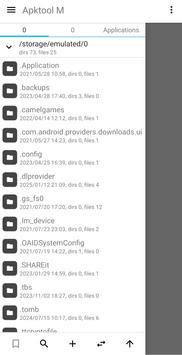

Package resource editor and compiler
Apktool M is a mobile decompiling and resource-editing app that brings APK customization tasks directly to phones and tablets without requiring a desktop environment. It serves as a local workspace for opening, inspecting, modifying, and rebuilding installation packages directly on the device. By providing direct access to string tables, layout files, and project configurations without ads or integrated analytics, it allows users to perform targeted localization, apply visual adjustments, or test configuration changes locally.
The app can load an APK saved in local device storage or target an app already present in the installed application list. Once selected, the package is unpacked into a project file structure that organizes the app’s internal resources into readable folders. This feature provides a practical way to inspect test builds or review standalone APKs when full project source files are unavailable. Unpacking the files creates a manageable structure for targeted maintenance, rather than serving as an automated tool for casual app modification.
For translation and localization tasks, the app exposes the string resource files that contain an application’s user-facing text. Translators and developers can review existing labels, menus, and system messages, replacing the text with alternative language phrasing while keeping the underlying code tags intact. Beyond text adjustments, the app supports modifying layout files, replacement images, and app icons for localized visual testing. Because complex applications often link assets across multiple folders, modified visual elements and text entries require careful verification after editing.
The project workspace provides direct access to the AndroidManifest.xml file alongside the general resource folders. Experienced users can review declared permissions, hardware dependencies, and component settings to verify how a package is configured before attempting a rebuild. For example, a developer can compare declared permissions against test requirements or update a build setting directly inside the project structure. Because configuration changes directly affect whether an app will install or launch correctly, maintaining a backup of the original package is necessary during manifest editing.
After editing resources or configuration files, the app can compile the project structure back into a completed APK package for local export or immediate installation testing. This compile step completes the workflow for users verifying string translations, checking modified app icons, or testing small configuration changes on the same hardware. Rebuilding times vary depending on package complexity, with larger projects requiring additional processing time during compilation.
Your comment was submitted and is awaiting moderation.
Your comment was published.