Why Chrome is missing from your TV
Google does not offer Chrome in the Google Play store on Android TV or Google TV. Chrome for Android is built for touch screens, and the TV version of Play only lists apps made for a remote. The phone version can still be installed on most TVs and works well for reading and watching, with three catches: it needs a recent Android TV version, it has no icon on the TV home screen, and it is awkward to use with a plain remote. This guide covers all three.
Google ChromeCommunication · 136.97 MB · 158.0.8127.92 · XAPK Download
Check two things before you start
| Check | Where to find it | What you need |
|---|---|---|
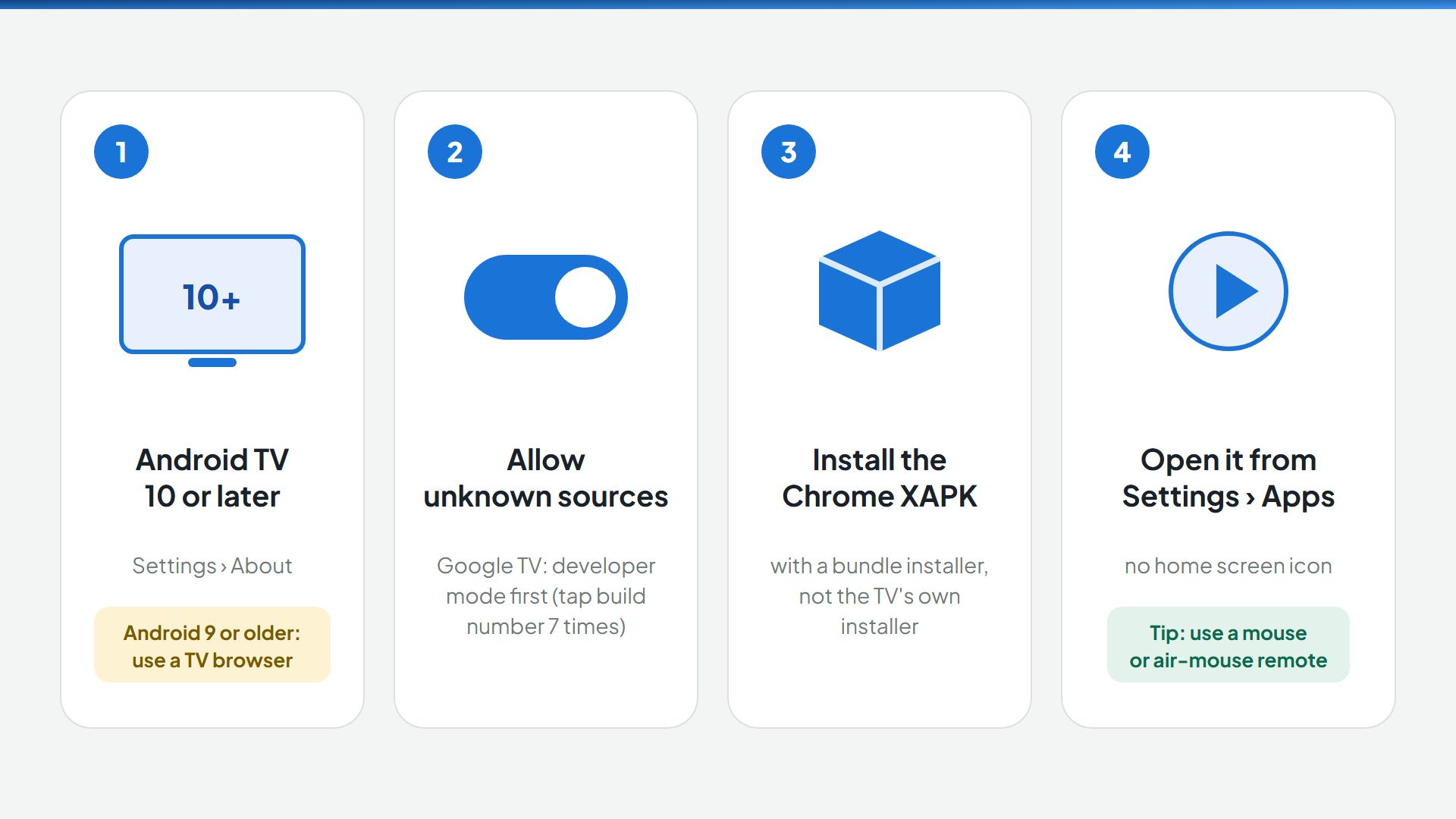
| Android TV version | Android TV: Settings › Device Preferences › About › Version. Google TV: Settings › System › About › Android TV OS version | Android 10 or later for current Chrome. Chrome 138 was the last version for Android 8 and 9 |
| Free storage | Settings › Device Preferences › Storage | About 500 MB: the download, the unpacked app and its cache |
Allow installs from unknown sources
TVs block apps from outside Google Play until you allow the app you install from.
- Android TVSettings › Device Preferences › Security & restrictions › Unknown sources. Turn it on for the app you will install from, such as Downloader or APKCombo Installer.
- Google TV: turn on developer mode firstSettings › System › About, then select “Android TV OS build” seven times until it says you are a developer.
- Google TV: allow the sourceSettings › Apps › Security & restrictions › Unknown sources, and turn it on for your installer app.
Menu names vary a little between TV brands. Searching the TV’s settings for “unknown” usually finds it.
Install Chrome
Current Chrome ships as a bundle: the browser plus a shared library it depends on. That is why APKCombo offers it as an XAPK, and why it needs a bundle installer rather than the TV’s own installer.
Option 1: straight on the TV
- Install Downloader from Google Play on the TVIt is a free app made for getting files onto TVs, with a built-in browser and a URL box you can type into with the remote.
- Download APKCombo InstallerIn Downloader, open apkcombo.com, go to the APKCombo Installer page and download it. Allow Downloader under Unknown sources when asked, then install.
- Install Chrome from the installerOpen APKCombo Installer, search for Chrome and install it. The installer picks the files that match the TV’s processor, which matters because many TVs run 32-bit Android even on 64-bit chips.

Option 2: download on your phone, send to the TV
- Download the Chrome XAPK on your phoneFrom the Google Chrome page on APKCombo.
- Send it to the TVInstall Send files to TV on both devices and send the file over your home Wi-Fi, or copy it to a USB stick.
- Install with APKCombo Installer on the TVOpen the installer, choose “Find APK & XAPK files” or “Choose a file”, and install the XAPK.

Open Chrome without a home screen icon
Phone apps do not include the banner that TV launchers need, so Chrome usually does not appear on the home screen, especially on Google TV. It is installed all the same.
- From settings: Settings › Apps › See all apps › Chrome › Open.
- By voice: on many TVs, saying “Open Chrome” to the Assistant works.
- From an app list: some launchers and file managers list every installed app, including ones without a TV banner.
Make it usable with a remote
| Problem | Fix |
|---|---|
| The remote’s arrows jump between links | Use a pointer: a USB or Bluetooth mouse, or an air-mouse remote. This is the single biggest improvement |
| Typing addresses is slow | Pair a Bluetooth keyboard, or use the remote in the Google TV app on your phone, which has a keyboard |
| Text too small from the sofa | Chrome › Settings › Accessibility › Text scaling |
| Sites show the cramped mobile layout | Chrome menu › Desktop site |

Browsers made for TV remotes
If your TV runs Android 9 or older, or you only want to open a few pages with the remote, a browser designed for TVs is simpler than Chrome.
| Browser | Good at | Needs |
|---|---|---|
| Google Chrome | Full websites, Google account sync of bookmarks and passwords | Android 10+, a mouse for comfort |
| Browser TV Web – BrowseHere | Navigation with the remote’s arrows, voice search, ad blocking | Android 7+, 64-bit |
| Downloader’s built-in browser | Quick visits and downloading files, works on almost any TV | Android 6+ |

Common problems
| What happens | Why, and the fix |
|---|---|
| “App not installed” or “not compatible” | The TV runs Android 9 or older. Use a TV browser instead. Our App not installed guide explains every variant of the message |
| “There was a problem parsing the package” | The XAPK was opened with the TV’s own installer. Install it with APKCombo Installer. See installing XAPK files |
| Chrome is slow or closes itself | Many TVs have 1.5 to 2 GB of memory. Keep few tabs open and close other apps |
| Netflix, Prime Video or Disney+ will not play in Chrome | Streaming services limit their websites on TVs. Use their TV apps, which also give better picture quality |
| Chrome does not update | Google Play on the TV usually does not offer updates for it. Apps installed with APKCombo Installer appear in its Updates screen |
Check the TV runs Android 10 or later, allow unknown sources, install Chrome as a bundle with APKCombo Installer, open it from Settings › Apps, and add a mouse. On older TVs, use a browser made for TVs instead.
Frequently asked questions
Why can’t I find Chrome in Google Play on my TV?
Google does not list Chrome for Android TV or Google TV because it is designed for touch screens. The phone version has to be installed from an APK.
Is the Chrome APK for TV safe?
The file on APKCombo is Google’s own release, the same as on phones. Compare its SHA-256 with the one on the download page, or let APKCombo Installer check it for you.
Can I sign in and sync bookmarks?
Yes. Sign in with your Google account in Chrome’s settings to get bookmarks, history and saved passwords from your other devices.
Which Chrome version works on Android TV 9?
Chrome 138 was the last version for Android 8 and 9. Current versions need Android 10 or later, so on Android TV 9 a TV browser is the practical choice.
Does Chrome on TV play YouTube?
Yes, but the YouTube app for Android TV is much better with a remote and supports higher resolutions on most TVs.
Reviews and ratings
Your comment was submitted and is awaiting moderation.
Your comment was published.