App Screenshots
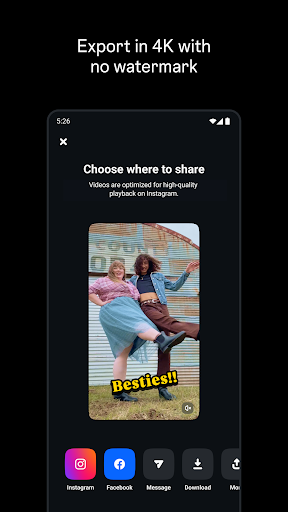

Mobile video editing suite with timeline tools.
Edits: Video Editor gives creators a complete mobile workspace to turn raw footage into published videos. It allows users to capture clips directly through an built-in camera, make precise frame-by-frame cuts, and export finalized projects in 4K resolution without any watermarks. By combining advanced editing controls, automated media tools, and built-in performance tracking, the app manages the entire creative workflow from initial ideation to post-publishing analytics.
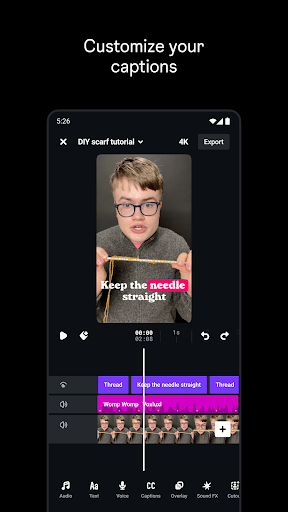
The app includes dedicated camera settings that let you capture clips up to 10 minutes long and immediately drop them into the editing interface. When shooting, you can adjust the resolution, frame rate, and dynamic range, as well as use upgraded controls for flash and zoom. Once footage is on the timeline, you can trim and edit videos down to single-frame precision to ensure exact timing between cuts.
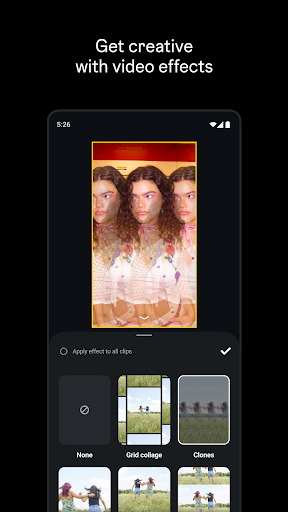
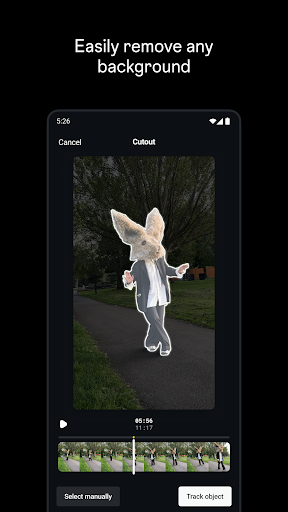
Creators can manipulate video backgrounds and elements using built-in visual tools. The editor supports video overlays, background cutouts, and green screen replacements, while an AI animation feature brings static images to life. To customize the visual tone, the app provides a selection of fonts, video filters, stickers, and visual effects that can be layered directly over the footage.
Sound editing features help polish the vocal quality of your project. The app offers audio enhancement options designed to reduce background noise and make speech clearer, alongside a library of voice effects and sound effects. For accessibility and viewer engagement, it can automatically generate spoken captions, which you can then visually customize to match the video’s aesthetic.
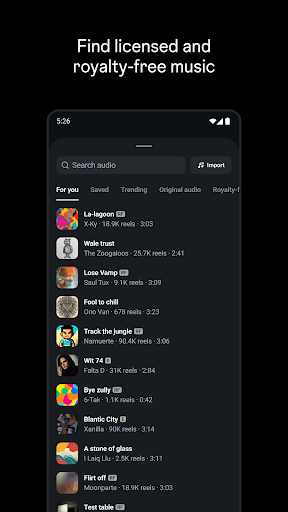
Beyond standard editing, the app helps plan future content and analyze existing posts. Users can store project drafts in one place, browse trending audio on reels for inspiration, and save media ideas until they are ready to produce them. After publishing directly to Instagram for high-quality playback, a live insights dashboard tracks engagement metrics so you can analyze how specific reels perform over time.
Your comment was submitted and is awaiting moderation.
Your comment was published.