App Screenshots

Multi-page document and receipt scanner
- Improve performance.
- Bug fixes.
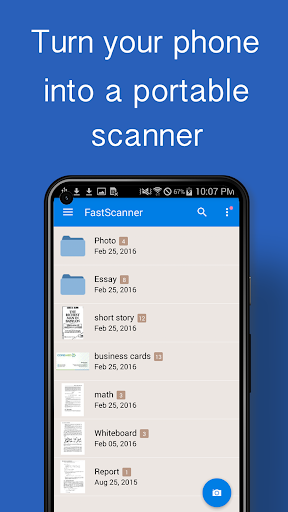
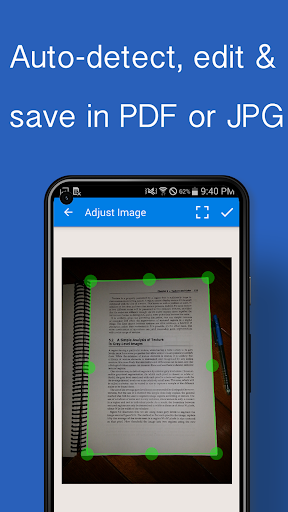
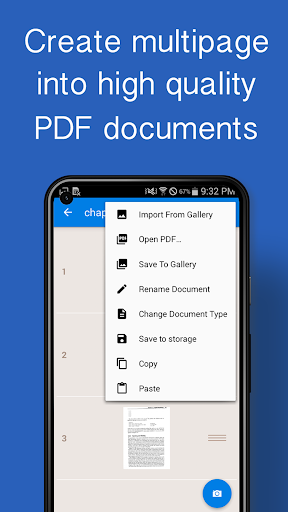
Fast Scanner – PDF Scan App converts paper documents into multi-page digital files using your device’s camera. Designed to process physical text such as receipts, notes, invoices, business cards, and whiteboard discussions, it allows you to capture documents quickly and export them as standard PDF or JPEG files. Its distinct advantage lies in its built-in page management, which lets you add new pages to an existing scan or delete unwanted ones before finalizing the document.
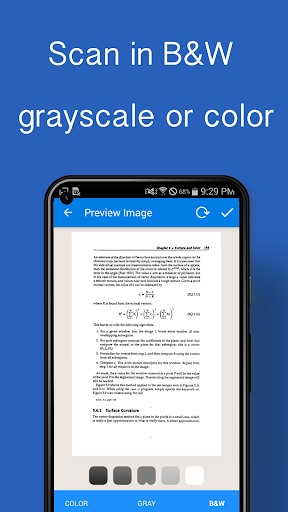
Scanning works across single-page receipts and multi-page items like booklets. The scanning engine is optimized for fast processing to handle multiple pages in sequence without long wait times. To make physical text legible on a screen, the app includes several image editing settings. These options let you adjust the visual clarity of the capture so that faint print, handwriting, or high-contrast whiteboard text remains readable before you save the file.
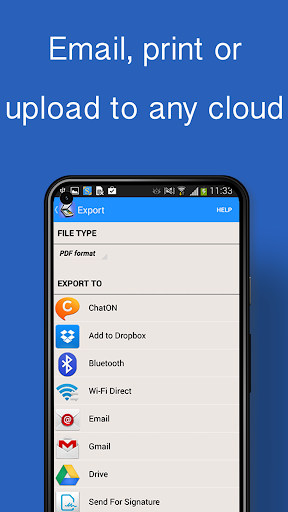
Scans are stored directly on your local device storage in either PDF or JPEG format. Rather than treating each scan as a static snapshot, the app supports document modification after the initial capture. Within any multi-page PDF, you can insert additional scanned pages or remove selected pages to rearrange the document. Once your file is complete, you can pass the generated PDF or JPEG to external applications installed on your device, such as cloud storage services or fax apps, to store or send your files elsewhere.
Output options are built directly into the scanning process. After completing a document, tapping the send button opens your device’s email integration to attach the multi-page file immediately. For physical output, the app connects directly to wireless printing tools, supporting direct document printing through Cloud Print or other installed printer management applications without requiring you to manually export the file first.
Your comment was submitted and is awaiting moderation.
Your comment was published.