App Screenshots
Parental control and child lock launcher
Kids Place Parental Controls and Kids Mode App Update:
🔥 Streaks & 7-day calendar.
🔔 Task dots, friendlier reminders & optional after-4 PM banner in settings.
✨ Cleaner home screen for notches.
🛠️ Bug fixes & stability.
📲 5 Million+ Downloads | In Business Since 2011: Continuous development in parental controls and dedicated kids mode protection.
Enjoying the app? Leave us an honest rating on the Play Store to help us keep improving!
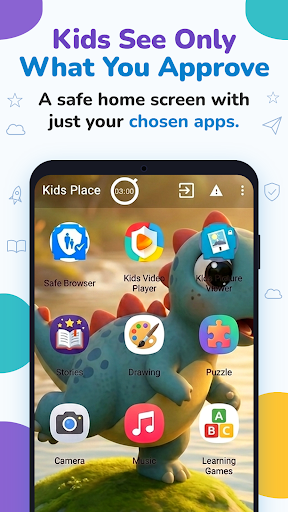
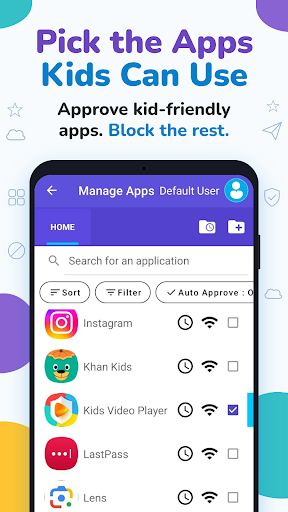
Parental control tools often rely on restrictive launchers to prevent children from accessing unintended parts of a device. Kids Place: Parental Controls functions as a customizable launcher and app blocker that locks a phone or tablet into a designated kid-friendly environment. Instead of inspecting or analyzing the internal content of apps, the software uses Android app package names to permit or block specific software from running. Children remain restricted to the selected applications on the customized home screen until a parent enters a PIN to exit the interface.
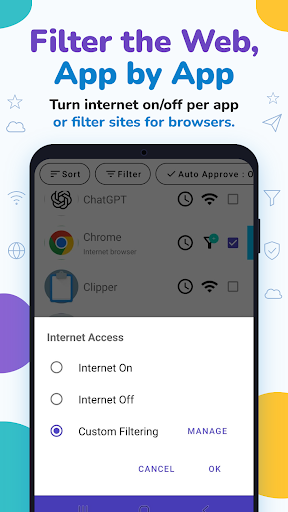
The system controls device access by managing which installed applications are visible and launchable. Parents select approved applications for the custom home screen while restricting access to all others. To enforce these boundaries further, the app integrates optional network filtering using a local on-device VPN service. When enabled, this local firewall inspects network requests on the device to block internet access for specific apps or designated domains without routing traffic through external monitoring servers. Any unblocked domain requests are simply passed to public DNS resolvers like Cloudflare to maintain normal connectivity for allowed services.
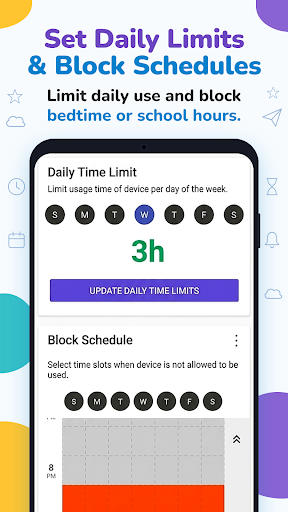
Digital usage can be regulated through built-in screen time controls. Parents can define daily time limits for the device as a whole or assign individual usage quotas to specific software. To prevent unauthorized modifications, the app blocks children from downloading new applications or making accidental purchases through the Google Play Store.
To prevent children from bypassing the restricted mode, the software relies on optional platform permissions. It can utilize Device Administrator status to prevent unauthorized uninstallation of the app, ensuring controls remain active. Additionally, Accessibility Service permissions can be granted to lock the device’s notification bar, preventing users from altering system settings or navigating away from the restricted space.
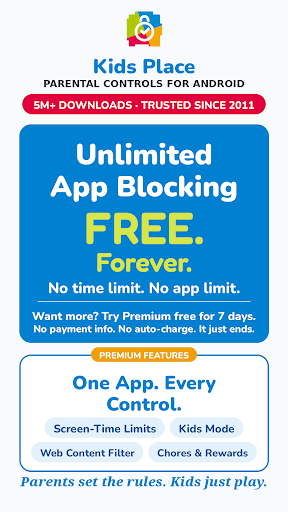
The standard free version provides the fundamental child-friendly launcher, PIN protection, and basic app blocking capabilities. An optional premium upgrade expands these controls by enabling multiple profiles tailored for different children, flexible background execution that works alongside the stock device launcher, system reboot tamper protection, and more granular screen time management options.
Your comment was submitted and is awaiting moderation.
Your comment was published.