App Screenshots

Parental control and screen time monitor
Hi Parents!
We've made more improvements and fixed some minor bugs to make your Qustodio experience even better. As always, we recommend that you enable auto-updating in the Play Store so both your and your kids' apps are always up-to-date.
The Qustodio Team
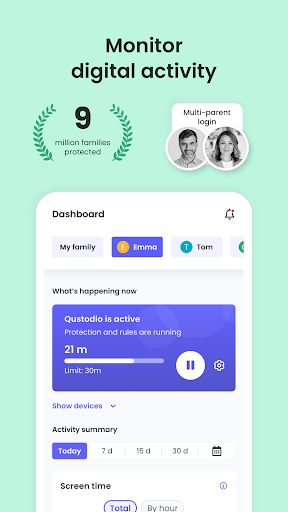
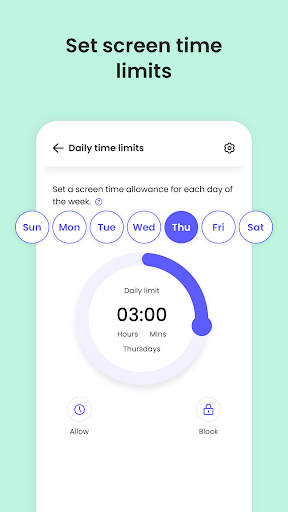
Managing a child’s digital habits across multiple household devices requires continuous monitoring and clear rules. The Qustodio Parental Control App addresses this challenge by combining remote screen time enforcement, online content filtering, and location tracking into a centralized system. Parents can set daily access caps that automatically lock a child’s device once time expires, monitor web activity, and receive instant alerts about inappropriate search queries or messages, creating a structured digital environment for children across mobile and desktop platforms.
The monitoring system relies on a two-part setup, placing the main administrative tool on a parent’s device while the Kids App Qustodio companion software runs on the target phone, tablet, or computer. This setup supports cross-platform management across Android, iOS, Windows, Mac, and Kindle hardware. Parents can shared administrative responsibilities by inviting a co-parent or guardian to the account, allowing both adults to supervise activity, adjust access rules, and pause the child’s internet connection remotely with a single command.
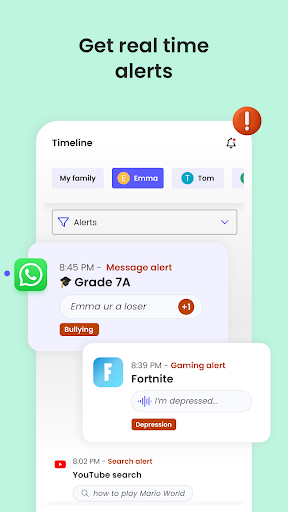
The app automatically restricts access to adult content, pornography, gambling, and blocked games, while enforcing safe search settings across web browsers. AI-powered detection systems scan for suspicious web activity, search terms, and incoming or outgoing communication. Parents receive direct alerts for flagged web browsing, app downloads, and SMS messages, as well as specific monitoring updates for social platforms such as WhatsApp, Instagram, and Line. YouTube viewing history, general web activity, and incoming or outgoing calls can also be tracked or blocked. Overview reports summarizing these activities are delivered daily or weekly via email, alongside a 30-day activity report accessible inside the interface.
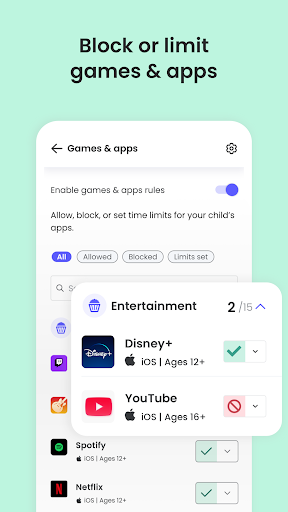
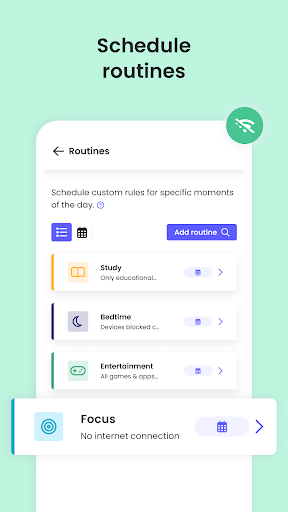
Beyond setting blanket screen time limits on the entire device, parents can establish granular limits for specific applications and games. Custom schedules and daily routines can be assigned to individual apps or website categories, preventing access during study times or overnight hours. These individual app controls allow parents to curtail excessive use of specific social media platforms or games without completely disabling access to educational tools on the device.
The built-in family locator uses GPS geolocation monitoring to display a child’s current position on a map. Parents can track children while they are moving, save frequently visited locations, and share location details among family members. On the child’s device, the companion software includes an accessible panic button, allowing the child to send an immediate alert signal to registered parents in an emergency situation. Access to these monitoring and location capabilities varies depending on whether an account uses the basic tier or the upgraded premium plan.
Your comment was submitted and is awaiting moderation.
Your comment was published.