App Screenshots

Ride-hailing platform for drivers
Earn good money, meet great people, and choose when and where you drive. Get started today.
We continuously roll out updates and new product features. Your feedback is important to us and helps us improve the driving experience.
https://www.lyft.com/click/dax-feedback
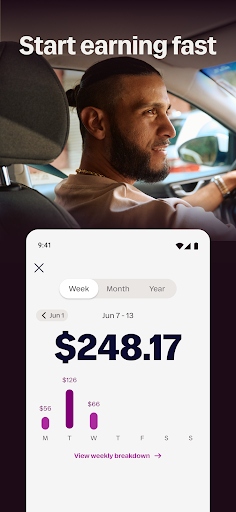
For people looking to generate income by offering rides, Lyft Driver provides the tools to accept trip requests, manage daily schedules, and track earnings. Drivers can view trip details and estimated pay before accepting a ride, set location filters to control where they are willing to pick up passengers, and choose from daily, weekly, or instant cash-out options. The app also integrates directly with in-car displays to handle turn-by-turn navigation, ride data, and audio controls from a single interface.
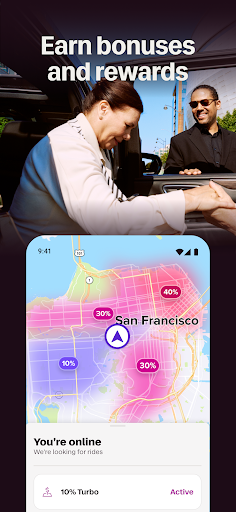
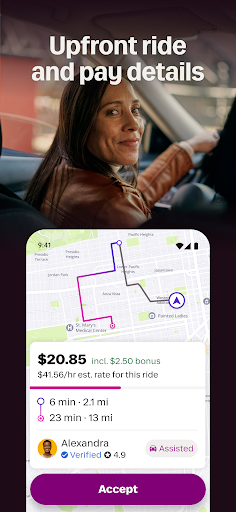
Before committing to a ride request, the app displays the expected earnings and trip details. However, this upfront pay feature is unavailable in specific regions, including Washington state, New York City, Portland, and Toronto. In areas where upfront pay is not supported, earnings are calculated automatically after the ride based on the local per-minute and per-mile rates for the completed distance and time. Drivers retain 100% of all tips provided by riders, alongside any applicable bonuses or rewards earned on the platform.
To streamline driving tasks, the app features built-in Lyft Maps, which can connect directly to compatible dashboard displays via Android Auto. This integration consolidates route directions, upcoming trip details, and media playback into the vehicle’s central screen, reducing the need to look at a handheld mobile device while navigating. Running continuous GPS navigation in the background during shifts will impact phone battery life, making a dedicated power source advisable during operation.
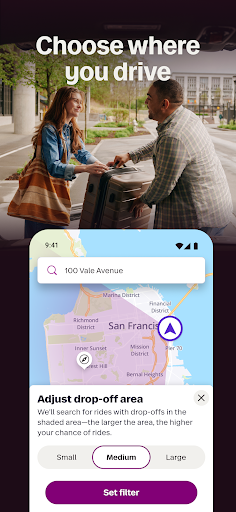
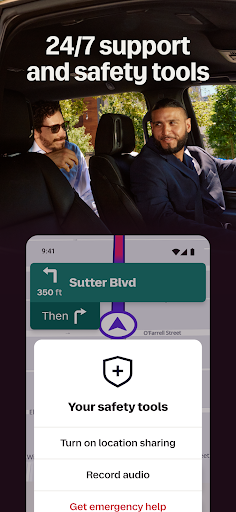
Drivers can set their own hours and customize their operational area using built-in location filters to avoid unwanted routes. Built-in safety features and 24/7 on-demand support are accessible directly through the interface to assist with on-the-road issues or safety concerns. Upon downloading the application, users are prompted to allow language setting collection and push notifications, though notifications can be disabled at any time through the device settings.
Your comment was submitted and is awaiting moderation.
Your comment was published.