App Screenshots
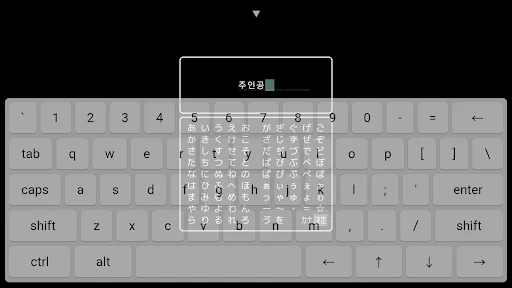

RPG Maker MV and MZ game interpreter
- Fix removed game item handling
- Reduce OOM crash while unpacking large game
- Improve file i/o performance
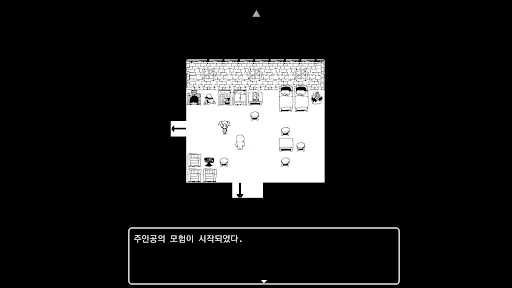
Executing custom projects built on RPG Maker MV and MZ directly on mobile devices often presents rendering glitches and script incompatibilities. Maldives player(RPG MV/MZ) provides a specialized runtime environment designed to execute these web-based engine exports smoothly. The app addresses common engine limitations by automatically patching broken plugins and implementing dedicated core script optimizations, allowing users to load and play standalone RPG Maker projects as intended.
Projects designed in RPG Maker MV and MZ frequently rely on specific image formatting that can cause visual errors during mobile playback. To prevent missing asset graphics, the app includes a non-power-of-two (NPOT) texture patch capable of properly loading non-standard image files that would otherwise render as black boxes. Graphics rendering is powered by WebGL 2 support, ensuring complex visual elements and animations perform well.
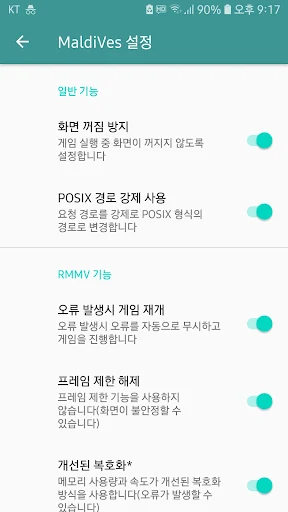
Beyond visual fixes, the app incorporates performance upgrades to handle heavy event processing and resource loading. It features modified core scripts that improve general execution speed, alongside built-in mechanisms to detect and automatically resolve common plugin errors. Advanced users can also load custom user scripts to further tune compatibility or modify runtime behavior for specific titles.
Navigating games built without native touch controls is managed through customizable input tools. The interface includes an integrated virtual keyboard and a virtual joystick layout, translating standard project controls into touch-screen inputs. Additionally, a built-in game preview displays on the loading screen to confirm project details while assets populate in the background.
Your comment was submitted and is awaiting moderation.
Your comment was published.