What a game booster is
A game booster is a mode or app that changes your phone’s behaviour while you play: it blocks notifications, keeps the screen from dimming, shows an FPS counter and, on some phones, asks the system for its highest performance. Most phone makers build one in, under names like Game Turbo, Game Booster or Game Space. There are also downloadable “game space” apps such as GG Game Space.
Search results are full of “Game Turbo 4.0” and “5.0” APKs that promise to fix lag and change your voice on any phone. This guide explains what boosters can really do, which ones are official, and what actually helps a game run better.
What a booster can and cannot do
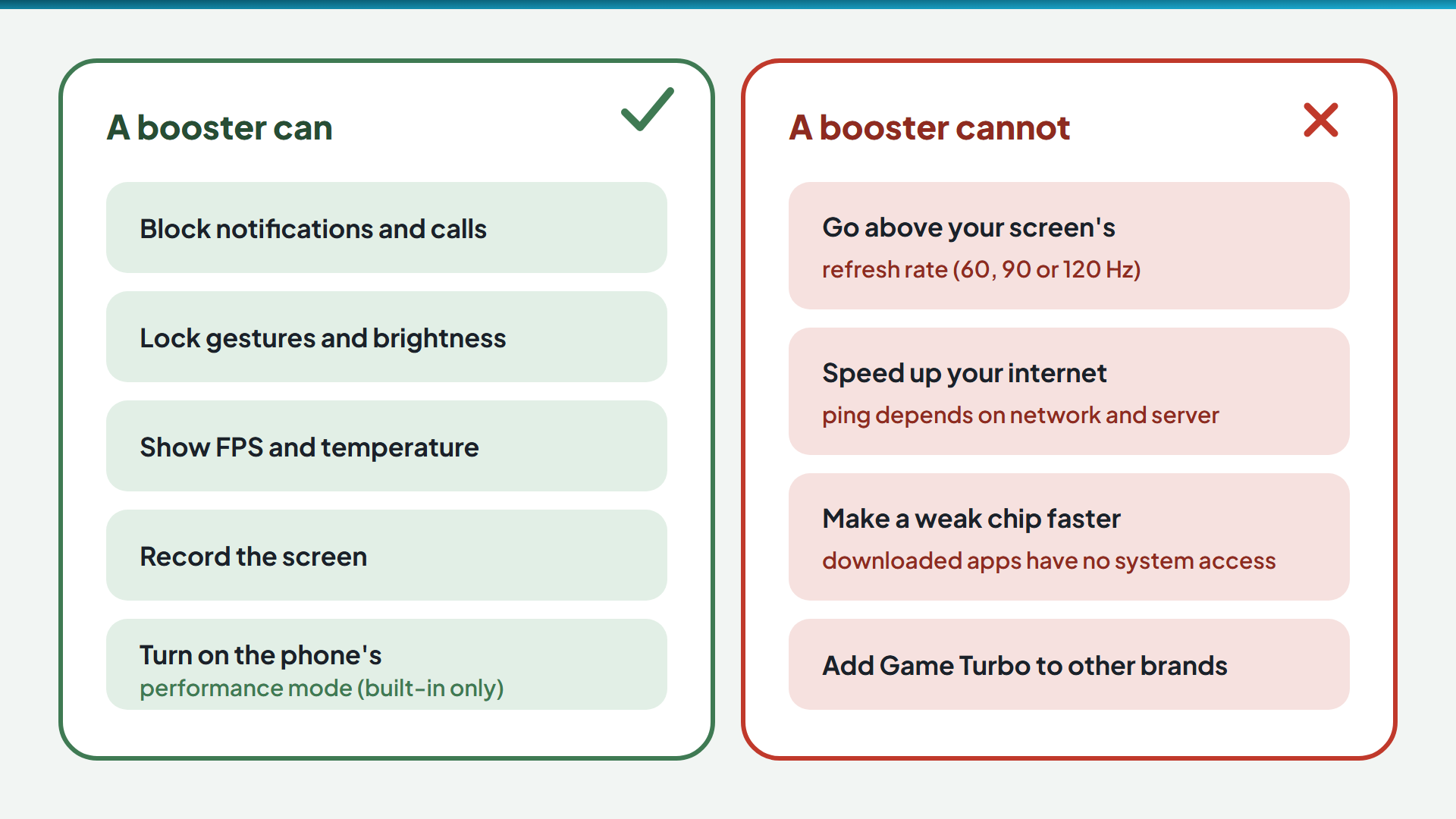
| Feature | Built-in booster (Game Turbo, Game Booster, Game Space) | Downloaded app (GG Game Space, Red Corner) |
|---|---|---|
| Block notifications and calls | Yes | Partly, through Do Not Disturb |
| FPS, CPU and temperature overlay | Yes, on most phones | Some apps, using an overlay permission |
| Performance mode, touch response | Yes, uses the system’s own controls | No: a normal app cannot change processor or touch settings |
| Voice changer | On some Xiaomi, OPPO and realme models | Rarely, and not inside the game’s voice chat |
| “Clean RAM” before playing | Handled by the system | Often closes apps that reopen, which can make things slower |
| Lower ping | Can prefer Wi-Fi or data, cannot speed up the connection | Cannot speed up the connection |
Xiaomi Game Turbo: where it is and how to use it
Game Turbo is part of Xiaomi’s system software on Xiaomi, Redmi and POCO phones (MIUI and HyperOS). It is not a separate app you can install on other brands.
- Open Game Turbo. It is in the Security app, or in Settings › Special features › Game Turbo, depending on your version. Some phones also show a Game Turbo icon on the home screen or in the Games folder.
- Add your games with the plus button so Game Turbo starts when you open them.
- Open the sidebar while playing by swiping in from the top edge on the side shown in Game Turbo’s settings. From there you can block notifications, record, see performance stats and, on supported models, open the voice changer.
- Keep it updated through Xiaomi’s own updates (system update and the Security app updates in GetApps), not through APK files from other sites.
About “Game Turbo 4.0” and “5.0” APKs
Files named “Game Turbo 4.0” or “Game Turbo 5.0” for any phone are not made by Xiaomi. They are apps from other developers that copy the look and name. Because a normal app cannot control the processor, touch sampling or network like a system app, they mostly show an overlay with a menu and ads. Some ask for accessibility access, which lets an app read and tap on your screen.
On a Xiaomi phone, the real Game Turbo and its voice changer are already there. If the voice changer is missing, your model or region does not support it; another APK will not add it.
The built-in booster on other phones
| Brand | Name | Where to find it |
|---|---|---|
| Samsung | Game Booster | Gaming Hub (Game Launcher); in a game, swipe up and tap the Game Booster icon in the navigation bar |
| OPPO, realme, OnePlus | Games / Game Assistant | The Games app; in a game, swipe in from the top-left corner |
| vivo, iQOO | Ultra Game Mode | Settings › Ultra Game Mode |
| Red Magic | Game Space | The Game Space switch or app on the phone |
| Infinix | XArena | The XArena app; see our Smart Panel guide for Infinix and Tecno tools |
| Google Pixel | Game Dashboard | Settings › Apps › Game settings on most Pixel versions; in a game, tap the floating dashboard button |
Ports of these system apps to other brands, such as Red Magic’s Game Space as an APK, usually lose the parts that need the system: performance modes and network settings. What is left is a game launcher.
GG Game Space and Red Corner
GG Game Space and Red Corner Game Space are game hubs you can install on any phone. They collect your games in one place and add tools that work over the game. They are not made by a phone maker, so they cannot switch on hardware performance modes, but they are an option on phones without a built-in booster.
GG Game Space - Game communityEntertainment · 35.73 MB · 2.1.9 · APK Download Red Corner - Game SpacePersonalization · 23.99 MB · 2.6.5 · XAPK Download

Many people look for an older version of GG Game Space when an update removes a feature or stops working on their phone. Our guide to installing an older version explains how to do that safely.
What actually makes games run better
- Keep the phone cool. Phones lower their speed when hot. Take off a thick case, avoid charging while playing and play away from direct sun.
- Turn off battery saver and set the highest refresh rate; our guide to unlocking 90 and 120 FPS shows where.
- Free up storage. A nearly full phone slows down; see fixing “storage full”.
- Use 5 GHz Wi-Fi close to the router, and pause downloads and cloud backups while you play.
- Lower graphics before frame rate. A steady 60 FPS feels smoother than a frame rate that jumps between 40 and 90.
Use the booster your phone already has: Game Turbo on Xiaomi, Game Booster on Samsung, Games on OPPO and realme. “Game Turbo 4.0/5.0” APKs are not from Xiaomi and cannot do what the real one does. GG Game Space and Red Corner are fine as game hubs, but real gains come from a cool phone, free storage, the right refresh rate and a good connection.
Frequently asked questions
Can I install Xiaomi Game Turbo on Samsung or other phones?
No. Game Turbo is part of Xiaomi’s system software. APKs with that name for other phones are made by other developers and cannot use Xiaomi’s system features.
Is Game Turbo 4.0 APK safe?
It is not an official Xiaomi app. Check the developer and permissions, and avoid any version that asks for accessibility access. Your phone’s built-in booster is the safer choice.
Why is the voice changer missing in Game Turbo?
Xiaomi offers it only on some models and regions, and it works only in games with voice chat. Installing another APK does not add it.
Do game boosters increase FPS?
Built-in boosters can switch on the phone’s performance mode, which helps keep frame rates steady. No booster can go above your screen’s refresh rate or the game’s frame rate setting.
Do RAM cleaner boosters help?
Rarely. Android manages memory itself, and apps that are closed often restart in the background, using more battery and time.
Reviews and ratings
Your comment was submitted and is awaiting moderation.
Your comment was published.