App Screenshots
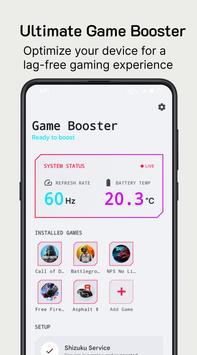
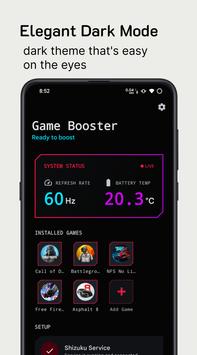
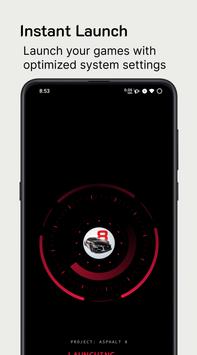
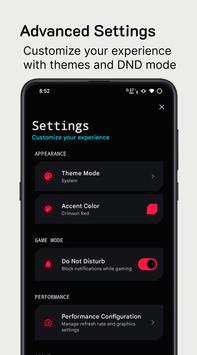
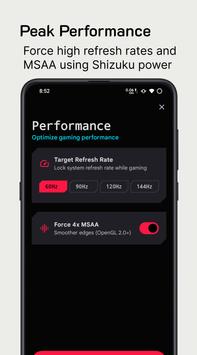

Gaming performance and frame rate optimizer
Shizuku Game Booster app
this app is in initial stage, some features might not be available,
we are always open for your feedback and suggestions to improve the app
Mobilizing system resources for demanding mobile titles requires balancing hardware output with background activity. Shizuku Game Booster provides a unified control center to launch titles while reallocating system memory, managing background applications, and applying real-time performance adjustments. Beyond basic memory cleanup, it integrates active hardware tracking alongside dedicated disturbance controls like notification suppression to maintain stable frame rates during intensive sessions.
Preparing a device for resource-heavy software involves stopping non-essential tasks to free up RAM. The app handles this process prior to launch, clearing memory reserves and optimizing CPU and GPU usage to reduce frame drops. While a session is active, an integrated performance monitor provides real-time metrics, displaying current FPS rates alongside device temperature readings and RAM utilization. This oversight helps track potential hardware bottlenecks and monitor thermal conditions during extended play.
Maintaining fluid input response requires preventing system-level interruptions. The app includes dedicated session management tools that block incoming notifications and lock display parameters, such as disabling automatic brightness adjustments to prevent sudden screen dimming. Additional controls adjust touch sensitivity settings and optimize screen recording processes, ensuring that capture utilities run with minimal impact on current rendering performance.
Online multiplayer titles depend on steady data transmission to prevent latency spikes. The built-in network optimizer targets connection stability to help reduce ping times during competitive matches. For longer sessions away from a charger, an integrated battery saver profile balances hardware consumption to extend device operation without shutting down core background optimization routines.
Your comment was submitted and is awaiting moderation.
Your comment was published.