App Screenshots
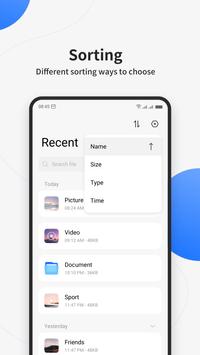

Storage and file management tool
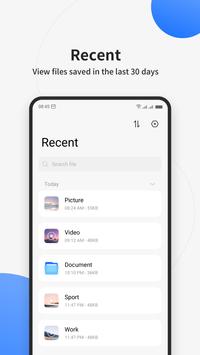
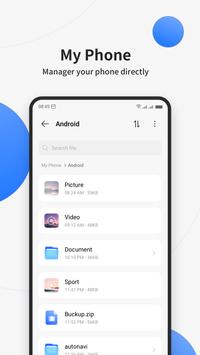
Organizing mobile storage becomes much simpler when media and downloads are sorted automatically. File Manager is a utility designed to browse, clean, and organize storage by grouping files into recognizable categories or by the specific social platforms that generated them. Beyond standard media and document sorting, it features a single-tap storage cleaner to remove unneeded data and free up device memory, along with a search feature to find specific items quickly.
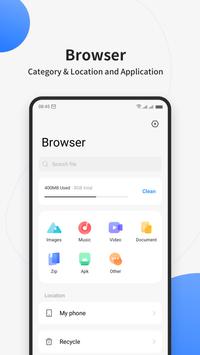
Instead of forcing users to dig through complex system directories, the app automatically organizes files into dedicated categories for music, videos, images, documents, zip archives, and installation packages (APKs). It also provides specialized target classifications for media downloaded through popular messaging and social platforms, including WhatsApp, Messenger, Facebook, and Instagram. This makes it straightforward to isolate app-specific media without manual sorting.
Managing large collections of items is handled through built-in batch processing capabilities. Users can select multiple items simultaneously to perform bulk actions such as moving or deleting files in a single step. To locate items scattered across different folders, the global search function indexes files so they can be retrieved immediately by typing relevant keywords.
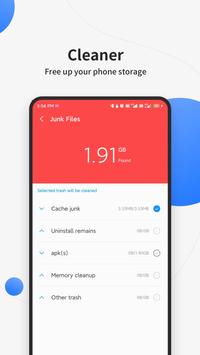
Accumulated clutter can quickly consume internal storage space. The app includes a dedicated cleaning tool designed to scan the device and reclaim space with a single tap. This tool helps remove unnecessary background files and redundant data, serving as a quick maintenance routine to keep storage available for new downloads and media.
Your comment was submitted and is awaiting moderation.
Your comment was published.














 Freeing storage that does not fill back up in a week
 Getting the APK out of an app you already have
 Installing an APK from your computer over USB
 When you should deliberately stay on an old version