App Screenshots

Hotspot proxy and connection utility
v5.11.26(28)
- SOCKS5 supports username/password authentication.
Connecting client devices to shared secure tunnels often fails when standard Android tethering bypasses active proxy connections. VPNSocks Client solves this routing issue by receiving HTTP Custom and SSH Custom connections forwarded from a host device’s hotspot. By configuring the app to route local network traffic through the host’s active proxy socket, connected devices can access the internet using the host’s established secure tunnel and custom DNS parameters.
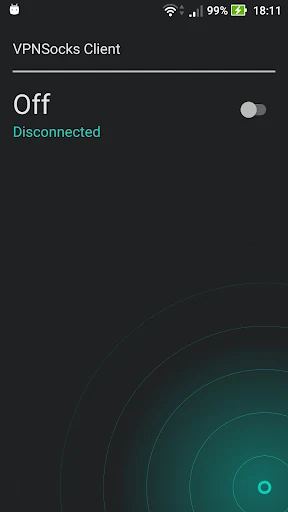
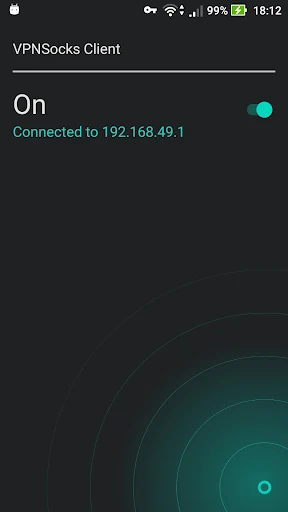
The primary workflow requires a host device to establish an SSH Custom or HTTP Custom (version 2.4 or higher) tunnel and enable tethering. After activating the ShareNet Proxy Socket server option within the host application’s three-dot menu or settings, the client device connects to the host’s Wi-Fi hotspot. Launching the app on the client device bridges the local connection, automatically directing outbound traffic through the host’s active proxy socket rather than standard unencrypted mobile data.
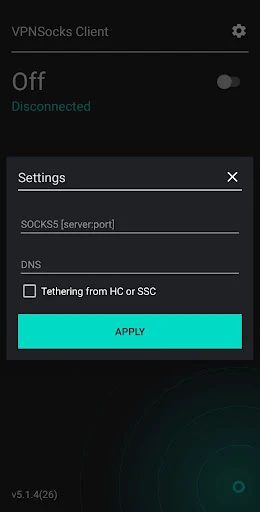
Beyond functioning strictly as a tethering receiver for HTTP Custom and SSH Custom hosts, the app includes options to manual entry for custom SOCKS proxy servers. Users can input specific SOCKS proxy addresses directly into the application settings. The interface also supports custom DNS modifications, allowing users to override default carrier or router domain name servers to match specific network requirements.
Your comment was submitted and is awaiting moderation.
Your comment was published.