App Screenshots
Time management with alarms and timers
Managing schedules, tracking elapsed time, and monitoring global time zones requires a dedicated time-management system, and Clock provides a consolidated toolset for these exact tasks. The app combines an alarm suite, a world clock with interactive visual maps, a lap-recording stopwatch, and a multi-timer utility into a single interface. Beyond standard timekeeping, it integrates location-based weather details into city time checks and allows users to schedule alarms for specific calendar dates, skip repeating days without changing the core schedule, or configure snooze intervals to simulate sequential alerts.
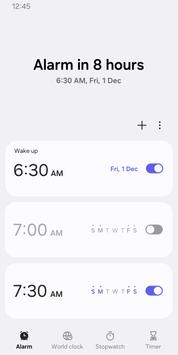
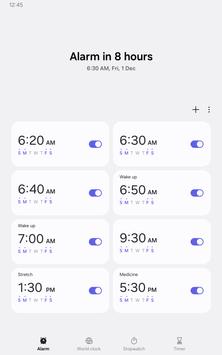
The alarm function allows users to set alerts tied to specific calendar dates rather than relying solely on a weekly schedule. For recurring routines, alarms can be set to skip a single day before resuming automatically. The built-in snooze feature functions as a way to trigger repeated alerts without manually creating several distinct entries. Depending on device permissions, alarms can display upcoming calendar events or display custom photo and video backgrounds, provided the necessary storage and calendar permissions are granted.
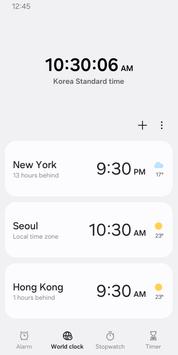
The World Clock feature provides localized time checks alongside current weather conditions for selected cities. Users can navigate a virtual globe to pinpoint locations and verify regional time differences. Access to notifications and audio files allows the system to deliver alerts for upcoming or missed events and play locally saved media as alarm tones, though the core timekeeping capabilities remain fully functional even if these optional permissions are declined.
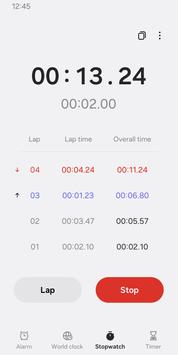
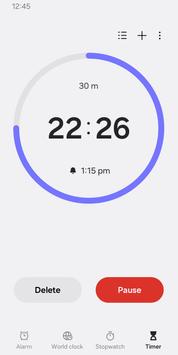
For performance tracking and event timing, the stopwatch records elapsed time across individual sections or laps. Captured lap data can be copied directly from the app for use in other software. The timer section supports running several countdowns simultaneously and lets users save frequently used durations as presets for quick access, making it straightforward to manage overlapping tasks or routine countdowns.
Your comment was submitted and is awaiting moderation.
Your comment was published.