App Screenshots
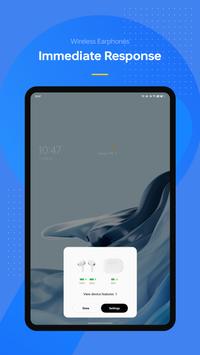

Earbuds management and configuration tool
1. Fix some known issues.
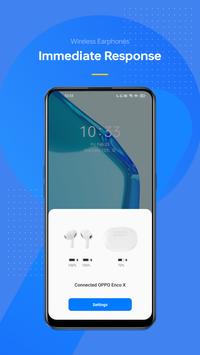
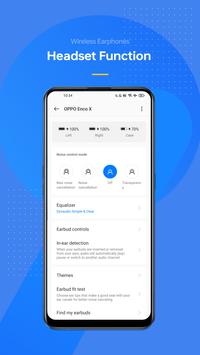
Managing audio gear on a phone usually requires a dedicated control center, which is precisely what Wireless Earphones provides for owners of OPPO and OnePlus earbuds. Acting as a native system component rather than a standalone launchable tool, it integrates directly into the system menus to monitor real-time battery levels for each individual earbud and the charging case. Beyond battery tracking, it exposes hardware-level controls for tailoring the audio output, remapping touch gestures, and deploying firmware OTA updates to keep connected accessories running smoothly.
Unlike standard applications, this tool does not feature an icon in the app drawer and cannot be launched directly from the home screen. Accessing its capabilities requires connecting paired earbuds and using the pop-up notification window that appears on screen to open the settings directly. Alternatively, navigating to the system Bluetooth menu and selecting the specific connected audio device reveals an Earbud Functions option, which opens the full configuration interface.
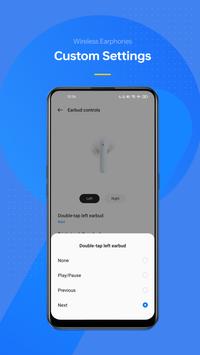
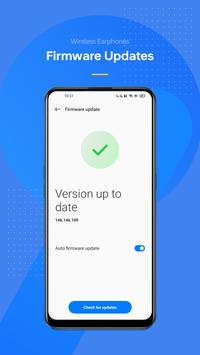
Once inside the device management interface, users can adjust sound effect profiles to match their listening preferences. The tool also provides gesture customization options, allowing users to reassign the tap and hold controls on the hardware itself to manage playback or calls more effectively. Additionally, the integrated firmware OTA update feature delivers software improvements directly to the earbuds over the air, ensuring the hardware remains up to date without requiring third-party utility applications.
Your comment was submitted and is awaiting moderation.
Your comment was published.