App Screenshots
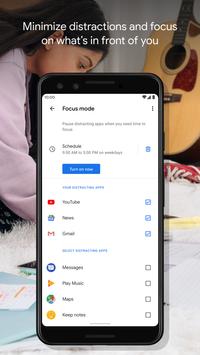

Monitor and manage your daily device usage habits
Several bug fixes and stability improvements.
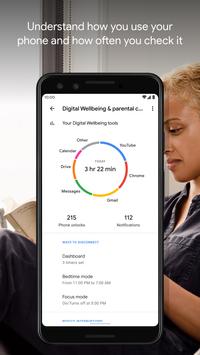
Managing device usage often requires clear insights into daily screen habits and practical guardrails to limit distractions. Digital Wellbeing provides an overview of your activity by tracking how often you check or unlock your phone, how frequently you open specific apps, and how many notifications arrive throughout the day. Beyond monitoring, it includes built-in tools to help you disconnect: app timers set hard usage boundaries, Focus mode temporarily pauses distracting applications on demand or on a set schedule, and Bedtime mode automatically silences alerts while shifting the screen to Grayscale.
The app aggregates behavioral metrics to show precisely where your time goes each day. You can review exact counts for device unlocks and incoming notifications alongside a detailed breakdown of your most frequently opened applications. This metric tracking offers clear data on your routine interactions, making it easier to identify which tools consume the most time or interrupt your day.
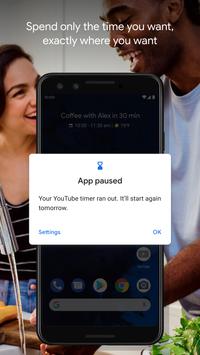
To prevent excessive screen time, you can assign daily time limits to individual apps. Once a timer expires, that specific app is restricted for the rest of the day. For immediate productivity needs, Focus mode lets you select distracting applications and pause them with a single tap. You can also configure automated schedules for Focus mode to trigger during specific hours, such as while working, studying, or resting at home.
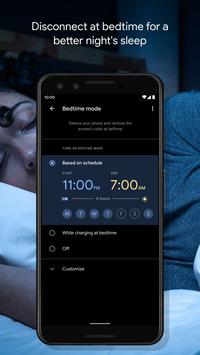
Transitioning away from devices at night relies on Bedtime mode, which combines visual cues with notification controls. When activated, it turns on Do Not Disturb to block incoming sound and vibration alerts, ensuring your sleep remains uninterrupted. Simultaneously, the feature can automatically fade the entire display to Grayscale, removing bright colors to lower visual stimulus before you go to sleep.
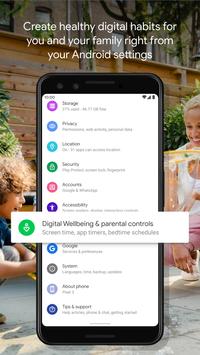
Rather than operating as a standard standalone launcher icon, this utility is built directly into the system menu. You can access its configuration options, view your habit charts, and set up daily usage rules by opening your device’s Settings menu and selecting Digital Wellbeing.
Your comment was submitted and is awaiting moderation.
Your comment was published.