App Screenshots
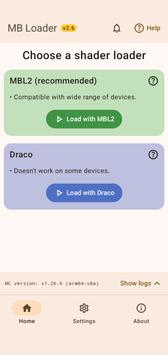
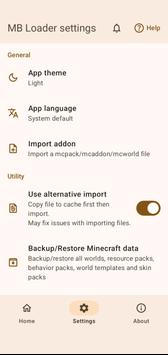
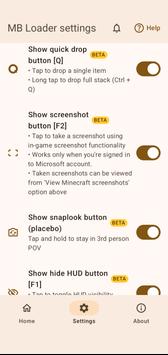
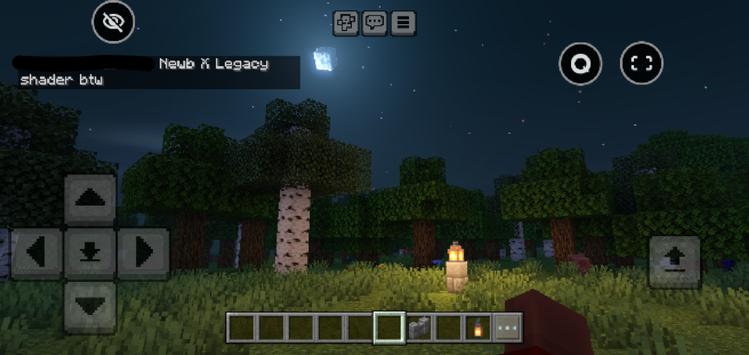

Run isolated game instances with shaders.
- Support Minecraft v26.0
- Add F1, F2, Snaplook button
- Modern Photo picker
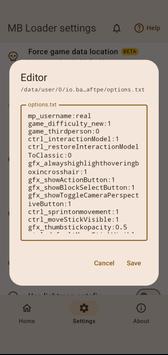
- options.txt editor
- In-game screenshots viewer
- Lore (real)
- Many small UI/UX improvement
Full changelog in app
Testing new Minecraft addons, skins, and shaders often risks corrupting existing save files or cluttering game settings. MB Loader solves this by running Minecraft in an isolated, separate instance on your device while requiring the base Minecraft application to be installed. It integrates shader-capable loaders like MaterialBinLoader and Draco, allowing you to evaluate performance and visuals safely. The app also features built-in tools to back up and restore data, manage addon imports, capture screenshots, and use on-screen control overlays during testing.
Running modifications in a main game environment can lead to stability issues or lost progress. The app launches Minecraft within a separate slot, isolating all new worlds, skins, and configurations from your primary save data. Built-in support for MaterialBinLoader and Draco allows you to test custom shader packs and texture modifications directly. If a shader causes frame drops or graphical glitches, you can evaluate the impact and revert changes without affecting your main installation.
Experimenting with new content is safer when you can preserve your functional setups. The app allows you to create complete backups of your Minecraft data before importing new addons. If an imported pack breaks world generation or crashes the session, restoring the previous working state takes minimal effort. An integrated screenshot viewer lets you review visual changes inside the app, making it easier to compare high-resolution captures of different setups.
To streamline testing workflows, the app adds direct control overlays to the screen, providing immediate access to F1, F2, Q, and Snaplook functions during play. These shortcuts make it faster to hide the interface, capture images, drop items, or adjust viewing angles while inspecting new assets. For quicker entry into your testing environment, you can also place a direct launch shortcut on your device’s home screen.
Your comment was submitted and is awaiting moderation.
Your comment was published.