App Screenshots
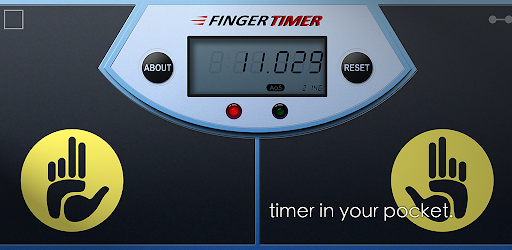

Speedcubing and speedstacking timer tool
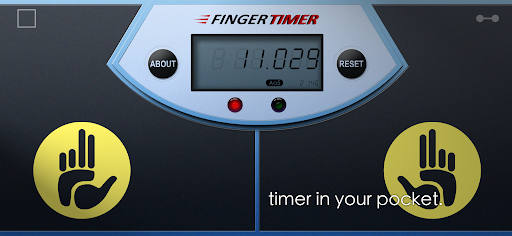
Finger Timer acts as a portable speedcubing and speedstacking timer that mimics the dual-pad input of physical competition hardware. Users place a finger on each side pad to prepare the clock, waiting until both the red and green status lights illuminate before lifting their hands to begin timing. Tapping both pads again instantly stops the counter. Designed for practical use, it can also broadcast live timing data directly to a web browser on a separate mobile device or computer connected to the same local Wi-Fi network.
Operating the timer relies entirely on touch-and-hold gestures. Pressing and holding the left and right pads activates the preparation sequence, showing a red light followed by a green light to signal that the timer is armed. Releasing the pads starts the clock, while returning fingers to both pads halts it. To clear the current run and prepare for the next attempt, users press the designated reset control.
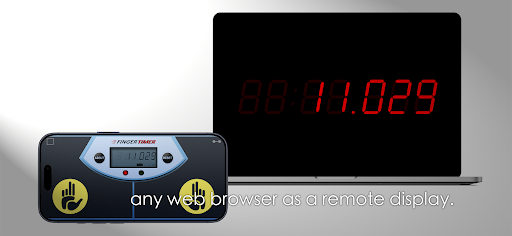
For spectators or coaches, the app supports remote display streaming. By enabling the display connection setting within the app, users generate a local network address. Entering this web address into any browser on the same Wi-Fi network mirrors the timing session to an external screen.
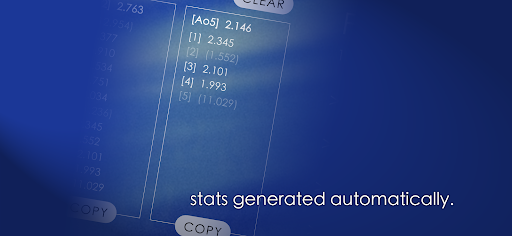
As users complete solves, the app automatically logs data and updates performance metrics on its LED-style display panel. It tracks overall average times and generates benchmark stats like Average of 5 (Ao5). Detailed statistics can be reviewed, cleared, or copied to the device clipboard from the dedicated information screen to share results.
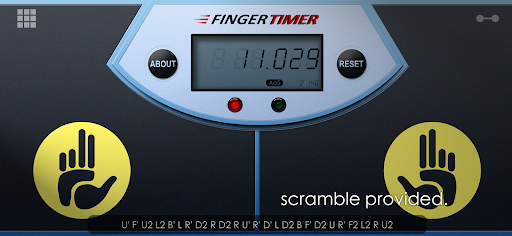
The standard free version includes specific operational caps and ad support. It sets a maximum limit of 10 minutes per timing run and caps remote browser display sessions at 10 minutes. Additionally, scramble generation in the free tier is limited to standard 2x2x2 and 3x3x3 cubes, and session statistics are restricted to showing the Average of 5, whereas extended metrics like Average of 12 (Ao12) are reserved for the full version.
Your comment was submitted and is awaiting moderation.
Your comment was published.