App Screenshots


Gaming utility and device performance monitor.
VYRON AI: Game Mode is a gaming utility designed to help configure system settings and monitor performance data while running mobile games. It detects compatible titles as they launch and applies customized per-game profiles to manage background activity, control screen behavior, and surface hardware statistics. Rather than attempting to alter system code or modify game files, it relies on standard system APIs to give players real-time insight into hardware usage and network stability during sessions.
Profiles can be configured individually for each game, allowing specific rules to trigger automatically when a supported app opens. These settings include toggling Do Not Disturb to block incoming alerts, locking screen rotation to prevent unwanted shifts during play, and enabling network rules. Through its Local Firewall feature, available in the Pro version, the app utilizes a local VPN on the device to manage network access. This lets users restrict internet access for selected background apps during a session without routing traffic through external servers or altering the device’s internet connection.
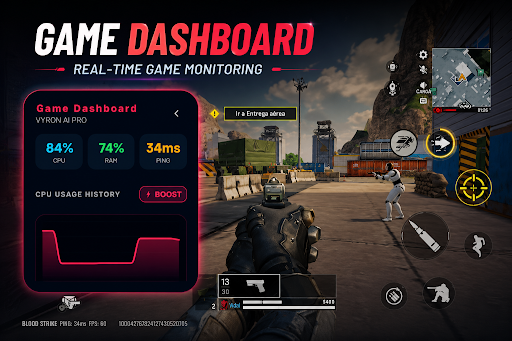
While playing compatible titles, an overlay panel displays real-time system diagnostics without requiring users to switch apps. The overlay provides readouts for CPU usage, memory (RAM) consumption, network latency (ping), and hardware thermal status. The thermal monitor reads the data reported by the system to issue heat alerts when available, while the ping monitor runs periodic network tests to reflect current connection responsiveness across Wi-Fi or mobile networks. Because data collection relies on standard system reports, specific metrics like CPU or RAM usage may be estimated depending on the device hardware and system permissions.
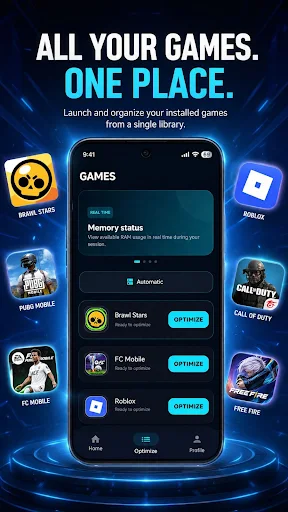
The app functions strictly as an information and configuration tool using official system APIs, meaning it does not require root access, alter operating system files, boost internet bandwidth, or guarantee higher frame rates (FPS). Background management features, thermal reporting, and automatic game detection depend entirely on the specific device model, manufacturer settings, and restrictions imposed by the operating system. While a central launcher menu provides quick access to installed games, the free version includes basic monitoring capabilities with usage limits and ads, whereas additional features like the Local Firewall require a paid subscription.
Your comment was submitted and is awaiting moderation.
Your comment was published.