App Screenshots

Screen casting and multi-device sharing assistant
1.连接更清晰:连接方式更简洁,最近设备支持备注/管理。
2.投屏更顺畅:连接成功后首页提示下一步操作。
3.体验更可靠:首次连接引导优化,投屏更稳定。
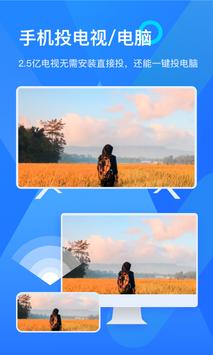
Screen mirroring to larger displays often involves fragmented tools, but 乐播投屏 acts as a cross-device casting utility that connects mobile phones, computers, and televisions. Developed by 深圳乐播科技有限公司, the app enables real-time screen sharing and file casting across varied hardware setups. Beyond simple local network discovery, it offers multi-mode connectivity, local file streaming, document mirroring, and multi-screen control, making it useful for living room entertainment, mobile gaming on TV screens, and corporate presentations.
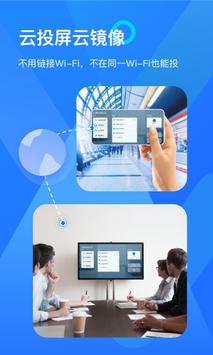
Establishing a connection between devices relies on three supported methods: scanning a QR code, entering a dedicated casting code, or searching within the same Wi-Fi network. The app facilitates multiple hardware pairings, including phone-to-TV, phone-to-PC, and computer-to-TV or computer-to-PC setups. For broader network environments, it supports remote cloud mirroring and cloud casting, enabling multi-screen interactions without requiring all devices to sit on the same local subnet.
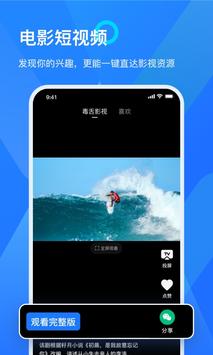
The app casts content from local storage and third-party media applications. Users can cast photos, local videos, documents, and cloud drive content directly to a TV display. It supports full-screen casting from over 8,000 video and audio apps, including Tencent Video, iQIYI, and Hanju TV. Media playback capabilities also feature variable-speed casting and direct mobile pushing, allowing playback control straight from the source device.
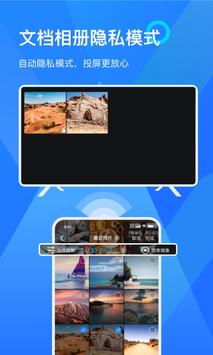
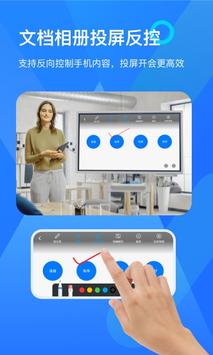
For office and meeting environments, the software mirrors Word documents, Excel spreadsheets, and PPT presentations directly to conference displays. In gaming scenarios, players can cast mobile titles like Honor of Kings or Peacekeeper Elite onto television screens for a larger display view. Additional functional features include reverse control, a privacy mode to manage sensitive information during screen shares, and multi-screen switching.
The application integrates across a wide variety of hardware displays and casting protocols. Supported TV brands and adapters include Xiaomi TV, Hisense, TCL, Sony, Samsung, Konka, Skyworth, Changhong, LeTV, Whaley, Dangbei/Tvpai, and Aliyun TV Assistant, alongside projection units and standalone casting hardware like TVGo.
Your comment was submitted and is awaiting moderation.
Your comment was published.