App Screenshots
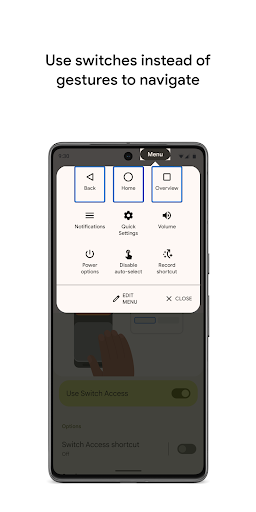

Control your device using switches or camera gestures
This update includes bug fixes.
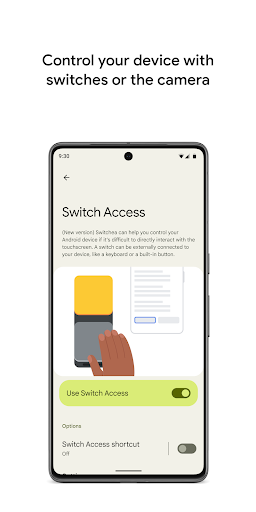
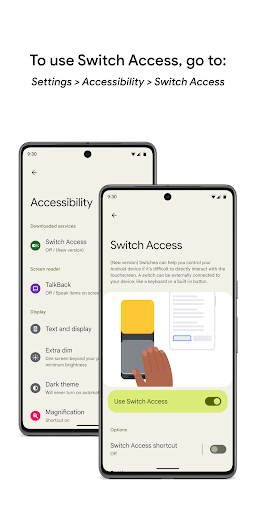
Switch Access provides an alternative way to operate a mobile device without using the touchscreen, making full device control accessible through customizable physical switches or facial gestures. Instead of tapping directly on display elements, users navigate their screen using visual scanning highlights to select items, enter text, scroll through pages, and perform complex multi-touch actions. Built directly into the system accessibility settings, the app bridges the gap between hardware input devices and software interfaces by translating simple inputs into everyday touch commands.
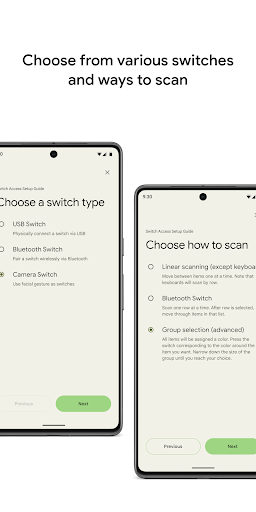
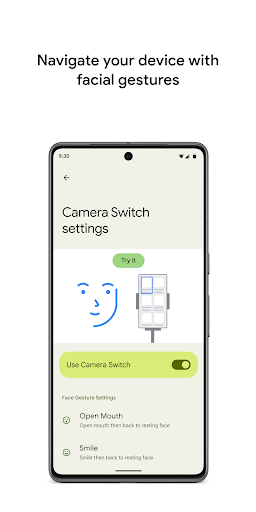
Navigation can be handled through external physical hardware or the front-facing camera. Hardware choices include standard Bluetooth or USB accessories, such as external switches and keyboards, as well as on-device inputs like the volume buttons. For hands-free control, camera switches detect facial movements using the front camera. Users can trigger actions by smiling, opening their mouth, raising their eyebrows, or looking in specific directions like up, left, or right. The sensitivity and gesture duration for these camera movements can be adjusted to prevent accidental inputs.
To navigate on-screen content, the app moves a highlight across screen elements until an item is selected. Linear scanning progresses through items one at a time, while row-column scanning highlights entire horizontal rows before cycling through individual items within a chosen row. For precise target selection, point scanning uses intersecting horizontal and vertical moving lines to pinpoint exact coordinates on the screen. Another method, group selection, assigns distinct color bands to different areas of the display, allowing users to choose a color block and continuously narrow down the highlight group until the intended target is selected.
Choosing an item opens an on-screen menu that presents available interactions suited for that element, including selecting, scrolling, copying, and pasting. A persistent global menu at the top of the screen provides quick access to system features, enabling users to adjust device volume, open the notification shade, or return to the home screen at any time. For repeated multi-step interactions, the app allows users to record custom touch gestures—such as pinching, zooming, swiping, or double-tapping—and bind them to a single switch press. For instance, a recorded double-swipe gesture can turn two pages of an ebook simultaneously with one trigger.
Operating as an accessibility service requires broad system access to function properly across all apps. To read layout elements and execute commands on behalf of the user, the app requires permissions to observe user actions, retrieve the active window content, and process typed text.
Your comment was submitted and is awaiting moderation.
Your comment was published.