App Screenshots
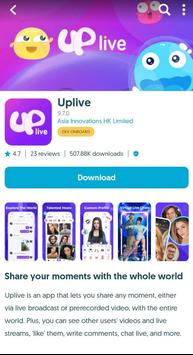
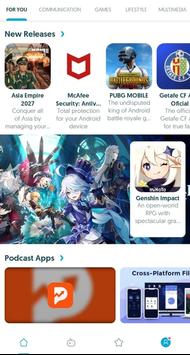
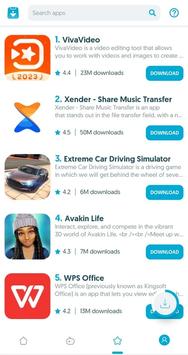
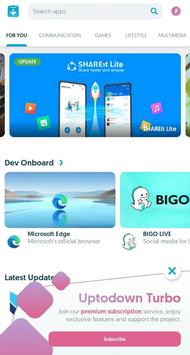

Global software catalog and update manager
Some bugs have been solved
The Uptodown App Store serves as an open marketplace for discovering and installing mobile applications without regional blocks or mandatory user accounts. It provides direct access to a global catalog where you can search for software by keyword, browse specific categories, or inspect file sizes before starting a transfer. Beyond basic distribution, it includes built-in package installation for complex file types, an integrated update manager with options to revert to older releases, and transparent security summaries for available files.
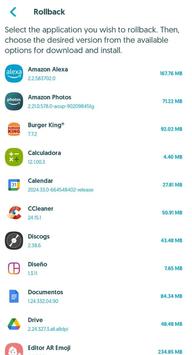
Accessing software through the repository does not require tying a device to a user profile or a specific geographical location. You can navigate through the home feed, search for specific titles, or filter by category to locate utilities and programs. Each entry displays clear file size details upfront, aiding in storage and data plan management. For instances where a recent software update causes issues or lacks support for a specific device, a dedicated section provides access to older builds, allowing you to select and install a release that fits your workflow.
To assist in evaluating packages before installation, every application page displays a security summary powered by VirusTotal. The system scans the files and presents the results in a single view directly alongside the general details. This report allows you to review an item’s status and reputation before initiating a download, ensuring transparent verification without introducing additional steps to the routine installation process.
The app functions as a complete package installer that handles both standard APK files and XAPK packages containing embedded OBB data. When an application requires additional resources, the installer automatically detects and places the files in the necessary directories, eliminating manual file management. During initial use, the operating system prompts for standard sideloading permissions to allow installs from outside the default source. Additionally, the software features built-in app backup capabilities, an update manager with automated notifications, and entry pages complete with screenshots, videos, and descriptions.
Your comment was submitted and is awaiting moderation.
Your comment was published.