App Screenshots

Source-based research workspace and study tool
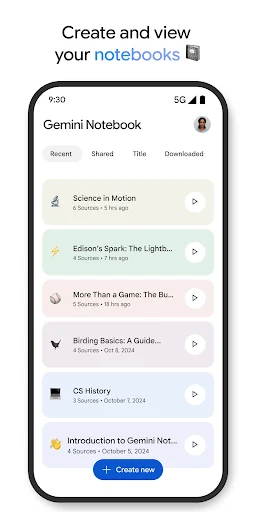
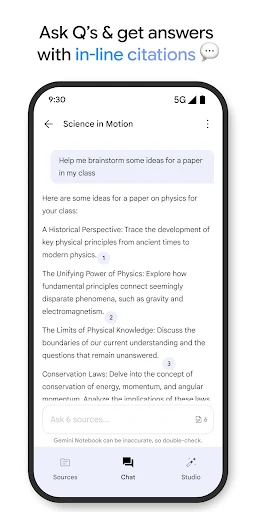
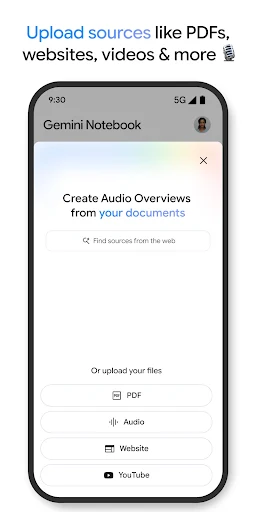
Researching complex topics often requires juggling scattered documents, video transcripts, and web links, but Gemini Notebook streamlines this process by serving as a dedicated source-based workspace. The app allows you to gather materials like PDFs, YouTube videos, websites, audio files, and Google Drive documents into structured project spaces. Instead of generating general or unsupported AI responses, it answers queries grounded strictly in your provided materials, attaching direct citation numbers to every key point so you can verify the original text instantly.
To keep projects organized, materials are divided into dedicated areas for Sources, Chat, and Studio. When conducting research, you can import specific files, toggle individual sources on or off, or rename uploaded documents to control exactly what information the AI evaluates. This workspace structure allows for precise side-by-side comparisons of different reports or meeting notes. Because the responses depend directly on your input files, providing clear and relevant materials ensures the most accurate output, while tapping any generated citation number immediately opens the corresponding passage in your source text.
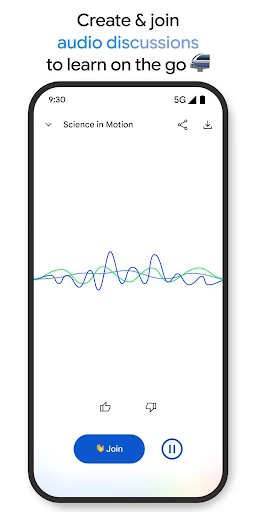
Beyond text-based Q&A, the app transforms your research into practical reference tools and audio formats. It can convert selected materials into podcast-style Audio Overviews, allowing you to listen to discussions of your documents while commuting or multitasking. In addition, the platform generates tailored study aids, including summaries, outlines, flashcards, and practice quizzes. Through custom configuration settings, you can also instruct the app to adjust its writing style, adopting longer explanations, brief summaries, or specific learning-guide tones to match your project goals.
Your comment was submitted and is awaiting moderation.
Your comment was published.