App Screenshots

Video editing and creation tool
YouTube Create is available on phones running Android 8.0 or later with at least 4 GB of RAM. We will continue to add new features and improve YouTube Create over time.
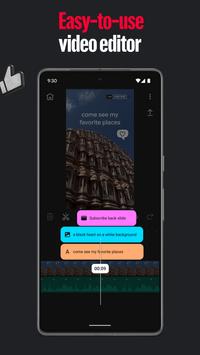
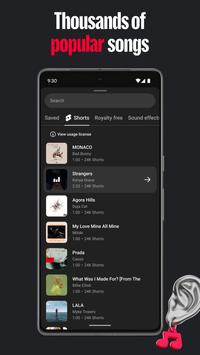
YouTube Create is a dedicated video editing app designed to simplify the process of producing content directly for YouTube channels and other platform formats. Content creators can import video clips, audio tracks, and photos into a single workspace, using built-in features to edit footage, generate captions, adjust visuals, and export finished projects up to 4K resolution at 60 fps. Its deep integration with the YouTube Shorts audio library makes it a practical option for creators looking to align their footage with trending, royalty-free music without leaving the editing environment.
Arranging media within the workspace involves standard timeline controls. Creators can trim, clip, and crop individual video segments, adjust clip speeds for fast-motion or slow-motion effects, and apply from over 40 transition options to blend scenes together. Built-in, customizable templates provide structured arrangements for arranging footage quickly, while aspect ratio controls allow creators to resize projects into portrait, landscape, or square formats depending on where the final content will be published.
Audio management tools help polish both voiceovers and music tracks. Users can record narrative voiceovers straight into the app or tap into the YouTube Shorts music library for trending and royalty-free music and sound effects. To keep visuals matched to the soundtrack, automatic beat matching identifies the rhythmic beats of an audio track so clips can be synced to the music. For spoken audio, an audio cleanup tool targets and removes distracting background noise from the recording.
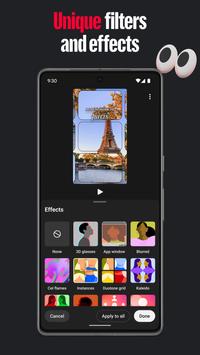
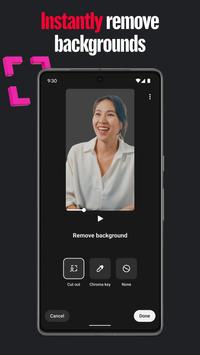
Visual adjustments rely on a mix of standard color controls and localized keying tools. Users can adjust saturation, brightness, exposure, and hue, or choose from over 60 visual effects and customizable filters to change the mood of a scene. The app also features chroma key and cutout options to remove or isolate video backgrounds. For graphic overlays, creators can add animated text using hundreds of available fonts, or insert items from a library of stickers, GIFs, and emojis.
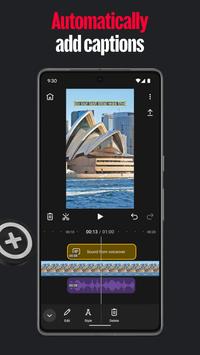
Automation features streamline repetitive post-production tasks. An Auto-Captions feature generates subtitles or captions with a single tap for select languages. In supported regions, creators can access generative AI tools to turn initial footage into a first draft, generate new video clips or images using text prompts and reference images, or remix existing AI-generated videos to change their style.
Once the editing process is complete, the app handles final rendering and distribution without requiring third-party file converters. Projects can be exported in resolutions up to 4K at frame rates up to 60 fps. From there, creators can upload the completed video directly to their YouTube channel to share it with their audience immediately.
Your comment was submitted and is awaiting moderation.
Your comment was published.