App Screenshots
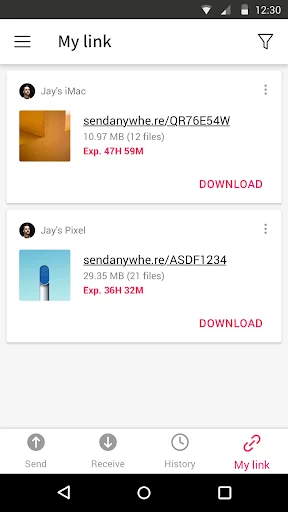

Tool for transferring files securely across devices
Version 23.3.3
What’s new
• Added support for the latest version of Android
• Other bug fixes and performance improvements
If you have any questions, please go to 'More' in the app and send us your feedback. Thanks!
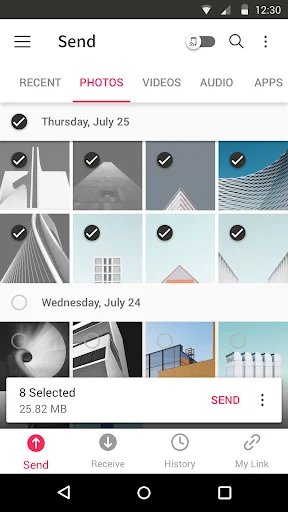
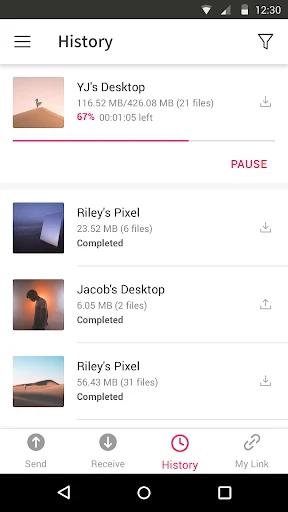
Sharing files between devices often involves cumbersome cloud uploads or file size restrictions. Send Anywhere (File Transfer) resolves this by enabling direct, multi-format file transfers without modifying the original source files. Users can instantly move media, documents, contacts, and large files directly to a specific target device or generate a shared link to distribute files to multiple recipients simultaneously. For local transfers without internet connectivity or mobile data usage, the app leverages Wi-Fi Direct to complete high-speed transfers securely using 256-bit encryption.
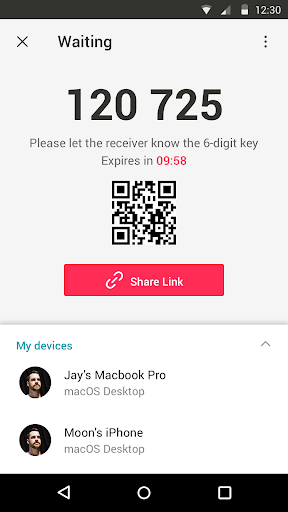
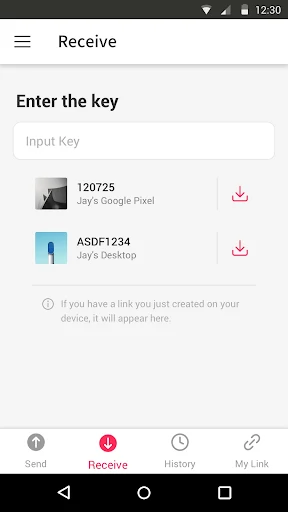
The core workflow centers on versatile transfer options tailored to different situations. For a simple point-to-point transfer, the app generates a temporary 6-digit key that the receiving device enters to start the payload download. Alternatively, users can display a QR code on screen, allowing the recipient to scan and initiate the transfer using their device camera. When sending content to groups, generating a direct link allows multiple people to access the files at once. Every transfer benefits from 256-bit file encryption to ensure that data remains protected throughout the transmission process.
When internet access is unavailable or mobile data limits are a concern, transfers can bypass external networks entirely. Utilizing Google Nearby API and Wi-Fi Direct, the application establishes a direct local wireless connection between hardware. This mode relies on location services and Bluetooth to scan for and identify nearby devices, allowing high-bandwidth file moves—such as transferring full-resolution photos, music libraries, or large video collections to a PC—without drawing on cellular data plans.
The app supports transferring any file type, including device contacts and application packages. However, specific platform and media constraints apply during practical use. While APK files can be shared between Android devices, cross-platform transfers of APK files to non-Android operating systems are restricted by system architecture and typically will not work. Additionally, copyright ownership of transferred applications remains with the original developer, making the user responsible for ensuring compliance with copyright laws. For media transfers, received video files might not automatically import into the native device gallery depending on the container format; in these instances, users must access the files through a dedicated file manager or download a compatible third-party video player.
Your comment was submitted and is awaiting moderation.
Your comment was published.