App Screenshots
Spreadsheet and data analysis tool
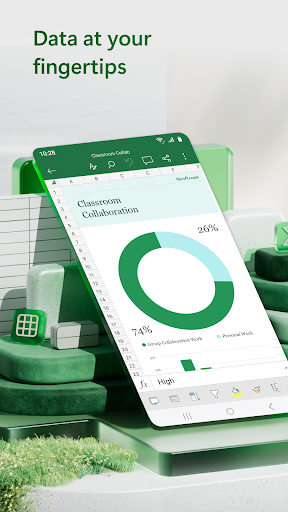
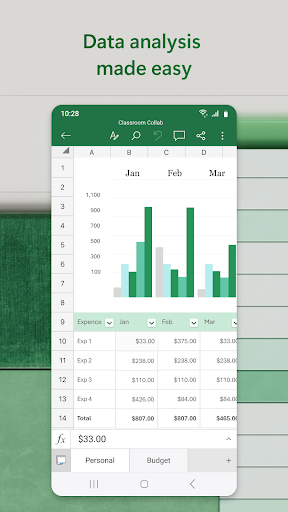
Microsoft Excel: Spreadsheets is a mobile productivity app for creating, editing, and analyzing worksheets on the go. Designed for personal finance, business accounting, and project tracking, the app lets users build detailed budget planners, build tax estimate calculators, and generate custom charts from raw numerical data. Its built-in Copilot AI features assist by identifying trends, summarizing complex data sets, and generating visual tables directly from natural language prompts.
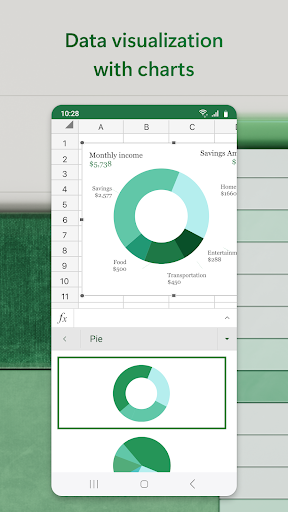
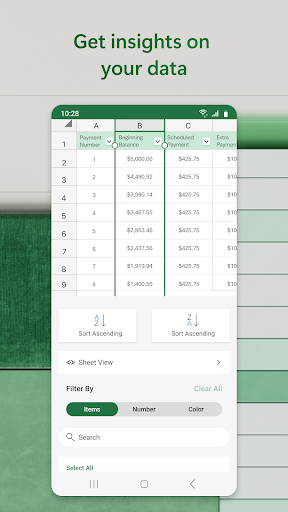
The app includes dedicated visual tools to transform unstructured tables into readable insights. Users can insert, annotate, and edit dynamic charts, or implement pivot charts to organize extensive financial metrics. For custom data organization, the app supports column sorting and filtering, allowing users to drill down into high-volume spreadsheets directly from their mobile screen.
Ready-made modern templates provide a structure for building project plans, personal expense trackers, and budget schedules. Users perform precise calculations using an accounting calculator alongside familiar Excel formulae. These tools allow individuals to handle routine tax estimates, track ongoing spending across customizable time frames, and monitor long-term savings goals.
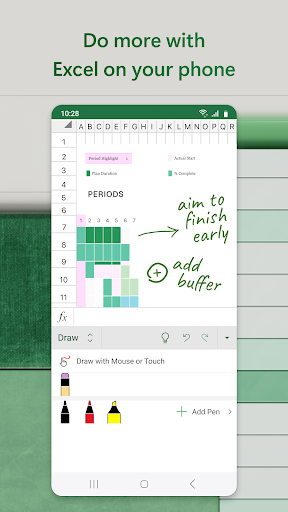
On touch-capable devices, the app features a dedicated draw tab for manual markups. Users can highlight specific sections of a worksheet, write out math equations directly on the canvas, and add freehand annotations to existing charts. This makes it possible to emphasize critical figures or leave visual context for review without altering the underlying cell data.
Collaborative capabilities allow users to invite others to view, edit, or comment on shared workbooks with a few taps. Worksheets can be copied directly into the body of an email or shared as web links for quick distribution. When using Microsoft Copilot features, team members can automatically generate intelligent forecasting recommendations and visual summaries to present during project updates.
Basic document creation and editing capabilities require signing in with a free Microsoft account on devices with a screen size smaller than 10.1 inches. The app requires a minimum of 1 GB RAM to function. Accessing advanced capabilities across mobile devices, tablets, and desktop computers requires a qualifying Microsoft 365 subscription. Subscriptions purchased directly within the app are processed through the Play Store account, with auto-renewal occurring within 24 hours prior to the end of the active billing period unless cancelled beforehand.
Your comment was submitted and is awaiting moderation.
Your comment was published.