App Screenshots


Manga and comic reader with extensions
Tachiyomi is a dedicated comic and manga reader designed for highly customized reading sessions and centralized library management. The app aggregates content across online providers using downloadable extensions, allowing users to search specific sources, organize ongoing series into a single space, and receive alerts when new chapters drop. Deep visual and interaction settings—ranging from custom page sizes and transition styles to adaptive screen-on toggles—ensure that long reading sessions remain comfortable across different devices and environments.
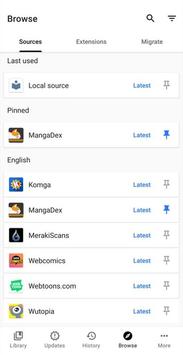
Content availability in the app relies on modular extensions provided through repositories. Users select and enable individual source add-ons to build a catalog tailored to their specific series and language preferences. Once an extension is installed, the dedicated Search tab allows users to query that single provider directly or browse its categories to discover new titles. Because content comes from third-party services, individual sources can occasionally fail or change access requirements. In these situations, functionality is typically restored by updating the extension, switching to an alternate source, or connecting a different extension repository.
The reader core is built to adapt to varying device layouts and light conditions. Users can configure reading orientation for portrait phone screens or landscape tablet displays, utilizing tap or swipe gestures for manual page turns. To prevent disruptions during extended binge-reading sessions, the app includes a setting to keep the screen active continuously. Visual preferences are managed through fine-tuned page scaling controls, smooth transitions, and multiple UI themes, including dark mode to minimize eye strain during night reading and bright themes for daytime use.
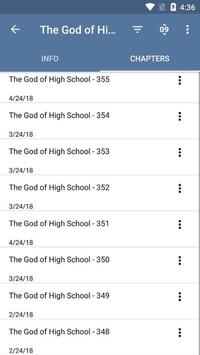
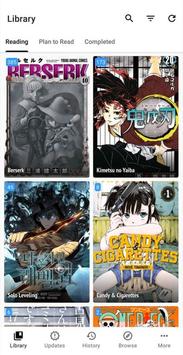
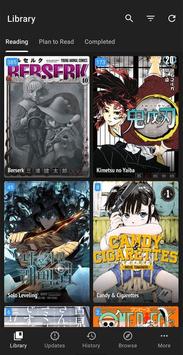
Organizing long-running series is handled through a Library tab powered by a Favorites system. Adding a title to Favorites places it directly in the library and enables background tracking for new chapter notifications. To manage storage effectively while keeping content available offline, smart download rules can restrict chapter saving to Wi-Fi connections only, monitor remaining storage space, and automatically delete downloaded chapters as soon as they are read.
Your comment was submitted and is awaiting moderation.
Your comment was published.