App Screenshots
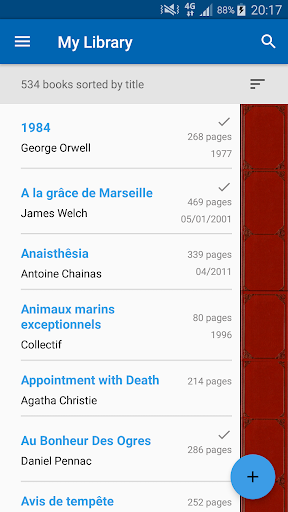

Personal book collection and reading tracker
v2.2.2
- In-app cover cropping!
- Performance optimization, especially for big libraries
- New confirmation popup when exiting edit mode without saving
- Continuous improvements.
v2.2.1
- Movies section has been improved and is now out of beta!
v2.2.0
- Enjoy the new Music section! Perfect for your CDs, vinyls, etc.
v2.1.9
- New very powerful optimization option for covers (activated by default)!
- Settings screen improved.
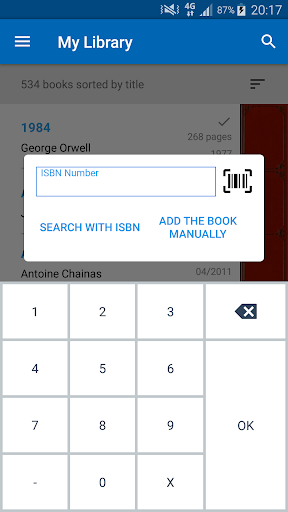
Managing a personal book collection often becomes overwhelming as a home library grows. My Library provides a dedicated cataloging system that helps you log, organize, and search your physical volumes in one central app. You can add items by scanning a book’s physical barcode using your camera, entering its ISBN number, searching by keywords, or typing the details manually. It is completely free to use and operates without any advertisements, making it a straightforward tool for keeping track of what you own and maintaining a separate wishlist for future purchases.
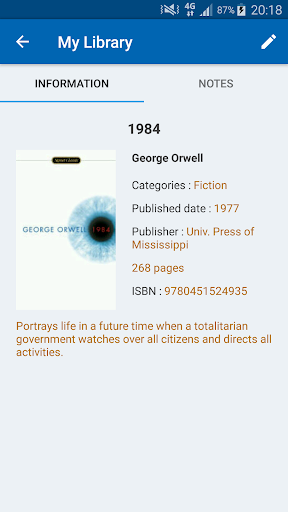
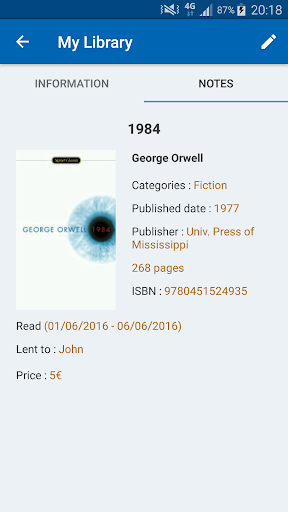
Populating your collection relies on flexible entry options depending on the book at hand. Scanning a barcode automatically retrieves matching metadata from external services like Google Books and Amazon, populating fields such as title, author, publisher, publication date, cover art, and a brief summary. If an ISBN is not recognized by these online databases, or if you are logging older and unindexed editions, you can manually input all the book details yourself to ensure your catalog remains complete.
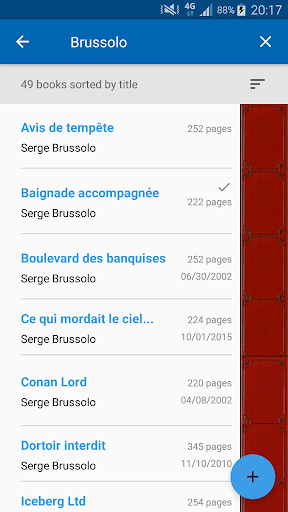
Once your titles are added, the app provides tools to structure and analyze your database. You can search for specific volumes instantly or sort your whole collection using criteria such as title, author name, category, or read and unread status. Beyond simple list management, built-in statistical views help you analyze reading habits and breakdown your library metrics over time.
To ensure your data remains accessible and portable, the app supports exporting your entire catalog into an Excel spreadsheet. This file can be kept as an external backup or used to import your library back into the app later. While app store listing rules prohibit showing copyrighted covers in public screenshots, the application itself allows you to attach official cover images to any entry in your personal collection.
Your comment was submitted and is awaiting moderation.
Your comment was published.