App Screenshots
Portable document scanner and digital file manager
A few minor bugs have been fixed for smoother user experience.
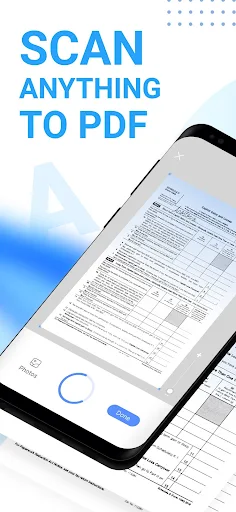
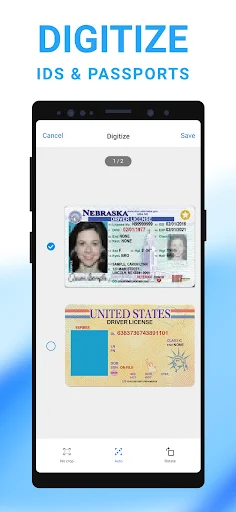
Digitizing paper documents directly from a phone screen is the primary purpose of Mobile Scanner App – Scan PDF. It captures physical paperwork, including receipts, multi-page contracts, class notes, and business cards, converting them into digital formats like PDF, JPEG, Word, and TXT files. Beyond basic image capture, it features automatic edge detection, built-in Optical Character Recognition (OCR) for text extraction, and page management options that allow users to compile multiple scans into a single, organized file for storage or sharing.
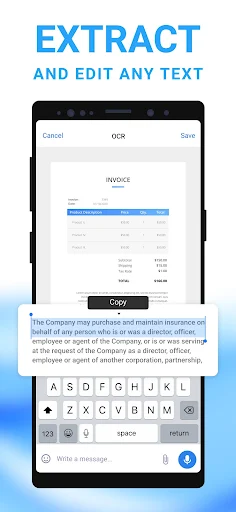
The app processes physical pages through the phone’s camera, relying on clear contrast and adequate lighting to produce crisp images. Users can convert physical media into a variety of digital types depending on their workflow needs, whether generating a standard PDF for formal documentation, a JPEG image for quick view, or a Word or TXT document when text editing is required. The integrated OCR engine processes images to recognize text, enabling users to extract and edit written content directly from scanned pages instead of manually transcribing notes or printed documents.
Handling longer documents is streamlined through a dedicated batch scanning function. Instead of saving each image as an individual file, users can capture several consecutive pages in one session and compile them into a single PDF document. Before saving or exporting, the app provides a review interface where users can rearrange the page order, rotate sideways captures, crop borders, and adjust color filters to ensure every page remains readable.
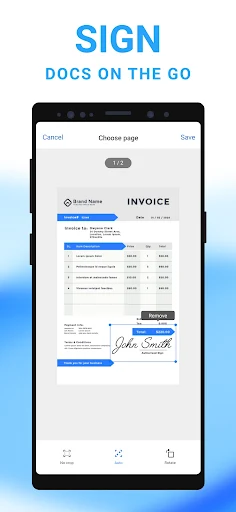
Once documents are scanned and refined, the app provides tools to manage the resulting files. Users can organize saved documents, apply electronic signatures to completed forms, or lock sensitive files to restrict unauthorized access. The finalized files can be shared directly from the app, prepared for upload to cloud storage services, or sent to a printer for hard-copy output.
Your comment was submitted and is awaiting moderation.
Your comment was published.