App Screenshots

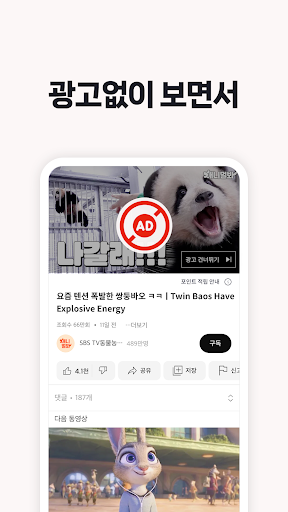



Ad-free video player with pop-up playback
1. 버그수정
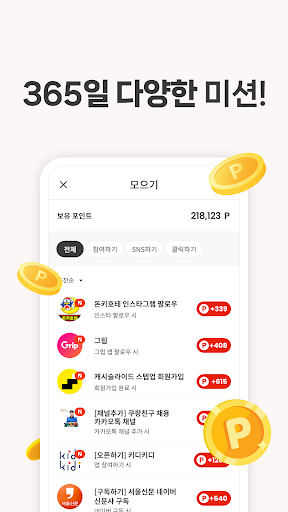
Watching online videos often comes with constant ad interruptions, but ClipDown Lite addresses this by delivering clean video playback alongside a built-in rewards system. The app allows you to stream content from supported video sites without advertisements and includes a floating pop-up player so playback can continue while using other software. As you watch, an integrated rewards service called CashMate automatically accumulates viewing points, which you can later redeem for digital gift certificates and mobile vouchers.
The core viewing experience centers on removing external video ads during playback. Content streams directly within the app, bypassing standard commercial breaks to ensure uninterrupted viewing. To support multitasking, the integrated Picture-in-Picture (PIP) pop-up player lets you shrink the video into a movable window. This enables you to check messages or browse other content on your device without pausing or closing your active video stream.
CashMate operates in the background while you stream videos, automatically granting points based on your watch time. Beyond standard viewing, the app provides extra points when you complete basic in-app missions and participate in promotional events. A referral system is also included, rewarding both you and a friend with 2,000 points each when an invitation is accepted. Accumulated points can be exchanged for digital rewards, including Naver Pay balances, gift cards, and various retail certificates.
To deliver its core features, the app relies on specific device permissions. It requires access to display over other apps so the pop-up player can function over web pages and other interfaces. Phone access is mandatory to verify your unique user ID for accurate point tracking and voucher distribution. Additionally, it requests battery usage optimization privileges to reduce playback buffering, alongside optional notification permissions for event updates.
Your comment was submitted and is awaiting moderation.
Your comment was published.