App Screenshots
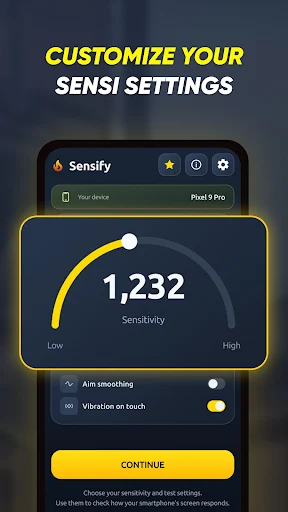
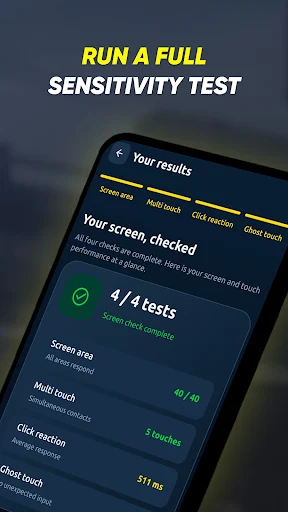
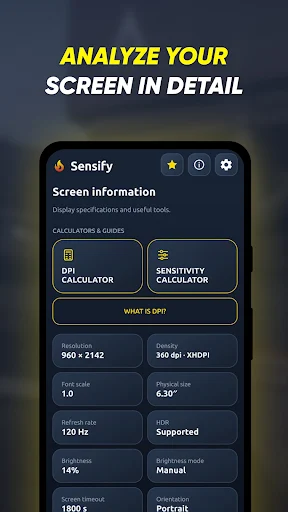

Touchscreen calibration and sensitivity configuration utility
billing, ads update, sdk update,
full app update
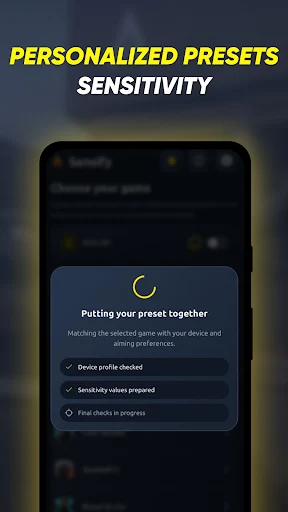
Finding the ideal touch screen response often requires trial and error, as screen sizes, hardware, and DPI differences mean generic settings rarely work across different devices. Touch Speed & Sensivity Tool is a touch screen calibration app designed to analyze display parameters and help users configure optimal touch speed and sensitivity settings. Built specifically to enhance control in FPS shooters, the app replaces random adjustments with hardware-based configurations and offers tailored presets to match different playstyles.
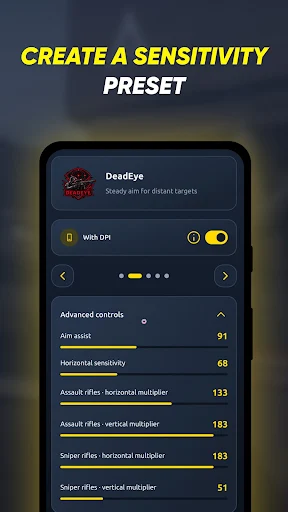
Rather than applying arbitrary sensitivity adjustments, the app reads hardware parameters such as display DPI and touch screen specifications to guide touch speed calibration. Based on these device parameters, it generates five distinct sensitivity presets designed for FPS gaming scenarios. These setups accommodate different aiming preferences, allowing users to select configurations tailored for high-precision aiming, rapid reactions, or balanced movement.
To complement sensitivity adjustments, the app includes a custom crosshair tool. Users can generate and tweak an on-screen crosshair overlay to maintain visual consistency across different mobile shooters. Once a setup is finalized, the app allows users to export and share their calibrated touch speed and sensitivity settings directly with other players.
The app functions purely as a touch screen configuration and calibration utility without modifying system files or requiring root access. It operates on both older and newer devices, including phones and tablets. Because it acts as an analytical and configuration tool, it does not apply system cheats or alter third-party game code; its primary function is to help users identify and manually apply the correct input parameters for their hardware.
Your comment was submitted and is awaiting moderation.
Your comment was published.