App Screenshots

Screen orientation management utility
Improved localization support.
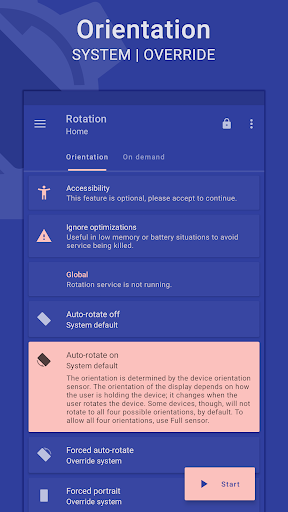
Managing screen behavior across different daily activities often requires more control than default device settings provide. Rotation: Orientation Manager is an app designed to take full command of screen orientation, offering every display mode supported by the system—including forced portrait, forced landscape, reverse modes, and full sensor control. Instead of relying solely on a global toggle, it allows users to establish automated rules triggered by specific events, such as opening a particular app, plugging in a headset, connecting a charger, or docking the device.
The app goes beyond standard auto-rotate by offering fine-grained control over how the display reacts to motion and hardware positioning. Users can choose from forced portrait or landscape layouts to prevent unwanted switching, lock the screen in its current state, or rely on sensor-based directions including sensor portrait, sensor landscape, sensor left, sensor right, and full sensor auto-rotation. These options ensure that the screen remains in the desired position regardless of default system restrictions.
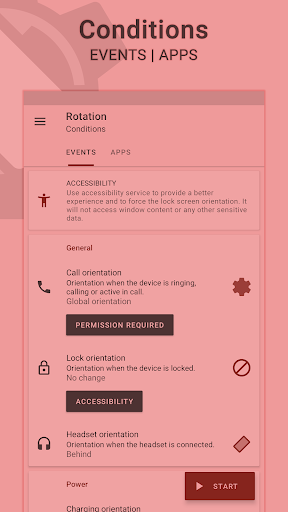
Different tasks often require distinct screen layouts, which the app manages through customizable condition rules. Orientation profile changes can be assigned to trigger automatically during incoming or active phone calls, when the device is locked, or when hardware states change—such as plugging in headphones, connecting to a charger, or placing the phone in a desktop dock. Per-app rules allow specific applications to open in a designated orientation automatically. If multiple conditions occur at the same time, a built-in event priority system determines which orientation rule takes precedence.
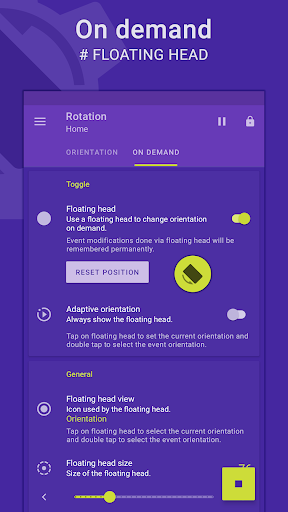
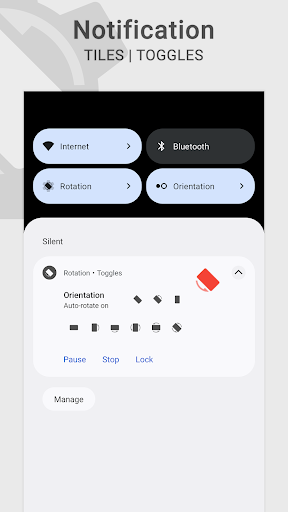
For manual adjustments on the fly, supported tasks can display an on-demand floating head, notification entry, or quick tile to alter the foreground app’s orientation without navigating away from the active screen. The app includes a dynamic theme engine featuring background-aware functionality to maintain visual clarity across different interface styles. Advanced automation power users can leverage a dedicated extension that works via the Locale or Tasker plugin framework to automate over 40 distinct actions.
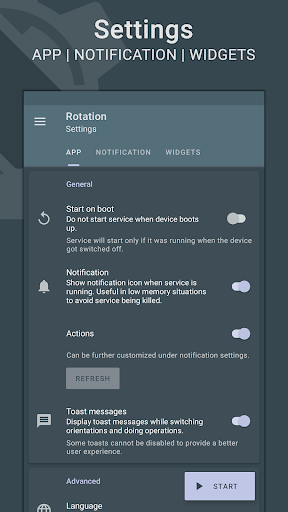
To deliver its core feature set, the app utilizes specific system permissions. It relies on accessibility services on newer operating systems to enforce lock screen orientation and improve overall management without reading window content or personal data. Startup permission enables the service to launch automatically on boot, while usage statistics and running app permissions allow it to detect which application is currently in the foreground. Quick setup tools, backup and restore options for saving settings, and dedicated troubleshooting resources are built directly into the interface.
Your comment was submitted and is awaiting moderation.
Your comment was published.