App Screenshots
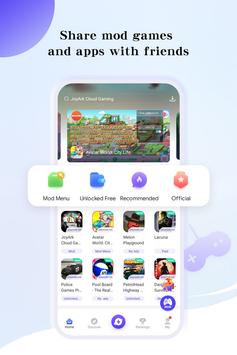
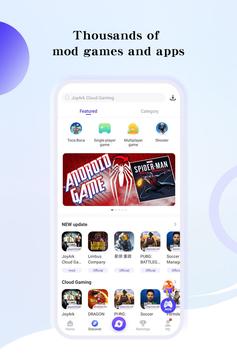

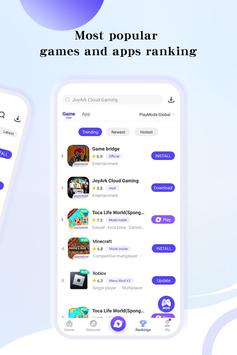
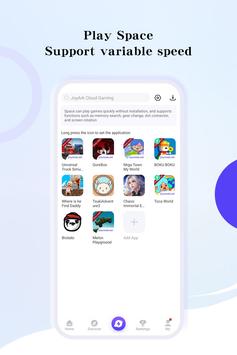

Modded games and utility tools
PlayMods is an app catalog that distributes curated modded applications alongside a built-in utility space. It allows users to browse categorized titles, read related news or guides, and download modified games that feature integrated options menus. Beyond software distribution, the platform provides an isolated environment for cloning apps and applying real-time modifications, such as automating repetitive touch inputs or altering execution speeds, directly within supported titles.
Supported titles downloaded through the catalog include an integrated floating menu that operates during active sessions. This overlay allows users to toggle specific modifications, enable extra functionality, or switch between configured setups without closing the application. Because these mods rely on specific software builds, a title update can occasionally cause an overlay feature to stop working until the resource files are refreshed. In such cases, disabling the affected option or selecting an alternative toggle serves as a standard workaround while waiting for updated files.
The app features a dedicated Space environment that acts as an isolated system folder for hosting cloned software. This setup allows users to run duplicate instances of a single title to manage separate accounts without overlapping local save data. Within this environment, a built-in toolbox provides system-level modifications for compatible software:
Speed Hack alters the execution pace of a title to accelerate repetitive tasks or slow down precise actions.
Auto Clicker executes custom scripts to repeat taps, long presses, or swipes for multi-step routines.
Rotate Screen forces vertical or horizontal screen orientations on titles with locked display settings.
Split Screen runs secondary applications in a floating mini-window, keeping visual guides or chat apps accessible during play.
Cheat Engine provides memory manipulation tools for supported local applications.
These system utilities operate at the local environment level. Certain online applications or protected services may restrict, block, or detect these tools, which can cause compatible features to fail or lead to account actions if used in restricted online environments.
The store directory organizes files through safety checks and manual testing before publication. High-speed servers host the packages to maintain download throughput during high-traffic releases or large file transfers. Popular software entries receive frequent resource updates to maintain parity with official application releases and preserve mod compatibility.
Your comment was submitted and is awaiting moderation.
Your comment was published.